

Note: Blofin supports Alpha 2x only.
Alpha Pro connects to your exchange through an API key you create — a trade-only credential: it can place trades, and it can never withdraw or transfer your funds. This guide shows the whole process on Blofin. Create the key inside your dedicated subaccount (if you don't have one yet, follow Create your trading subaccount first).
WARNING: Never enable Withdrawal permissions on your API key. Alpha Pro only ever needs to read and trade — nothing else.
Step 1 — Open API management
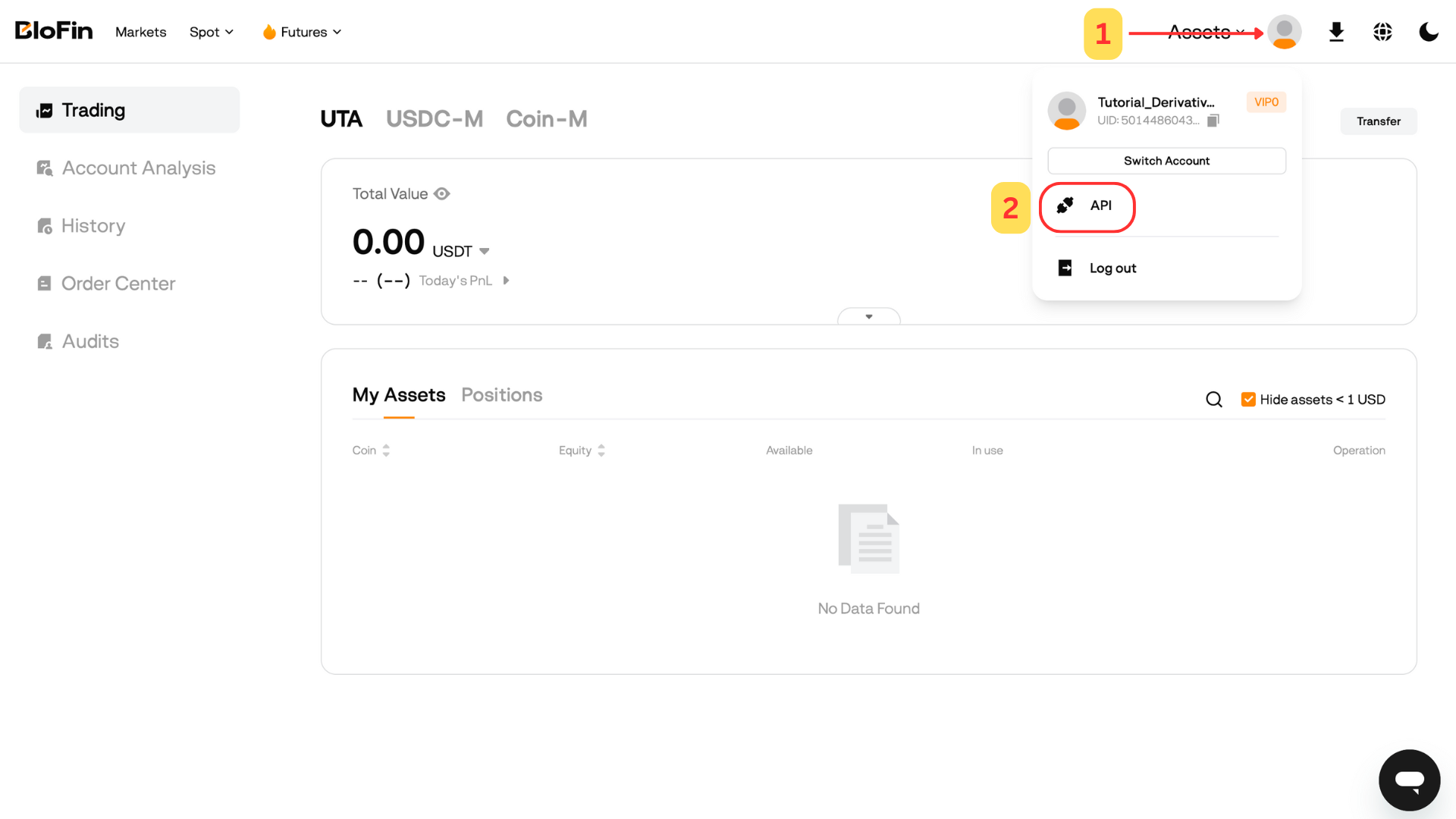
- Log in to your dedicated sub-account (switch from the account menu).
- Click your profile icon in the top-right corner and select API from the dropdown menu.
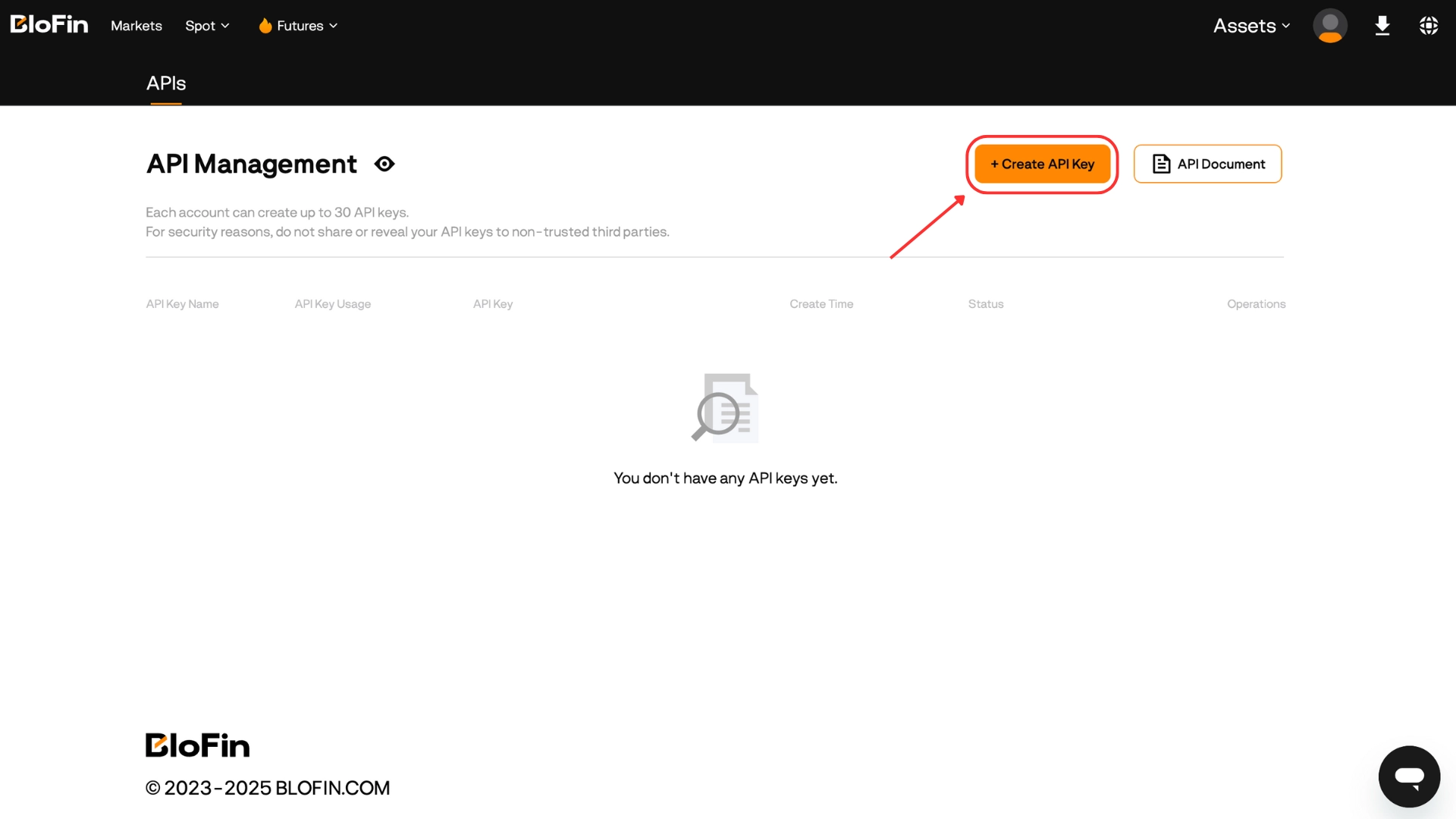
- Click Create API Key.
Step 2 — Configure the key
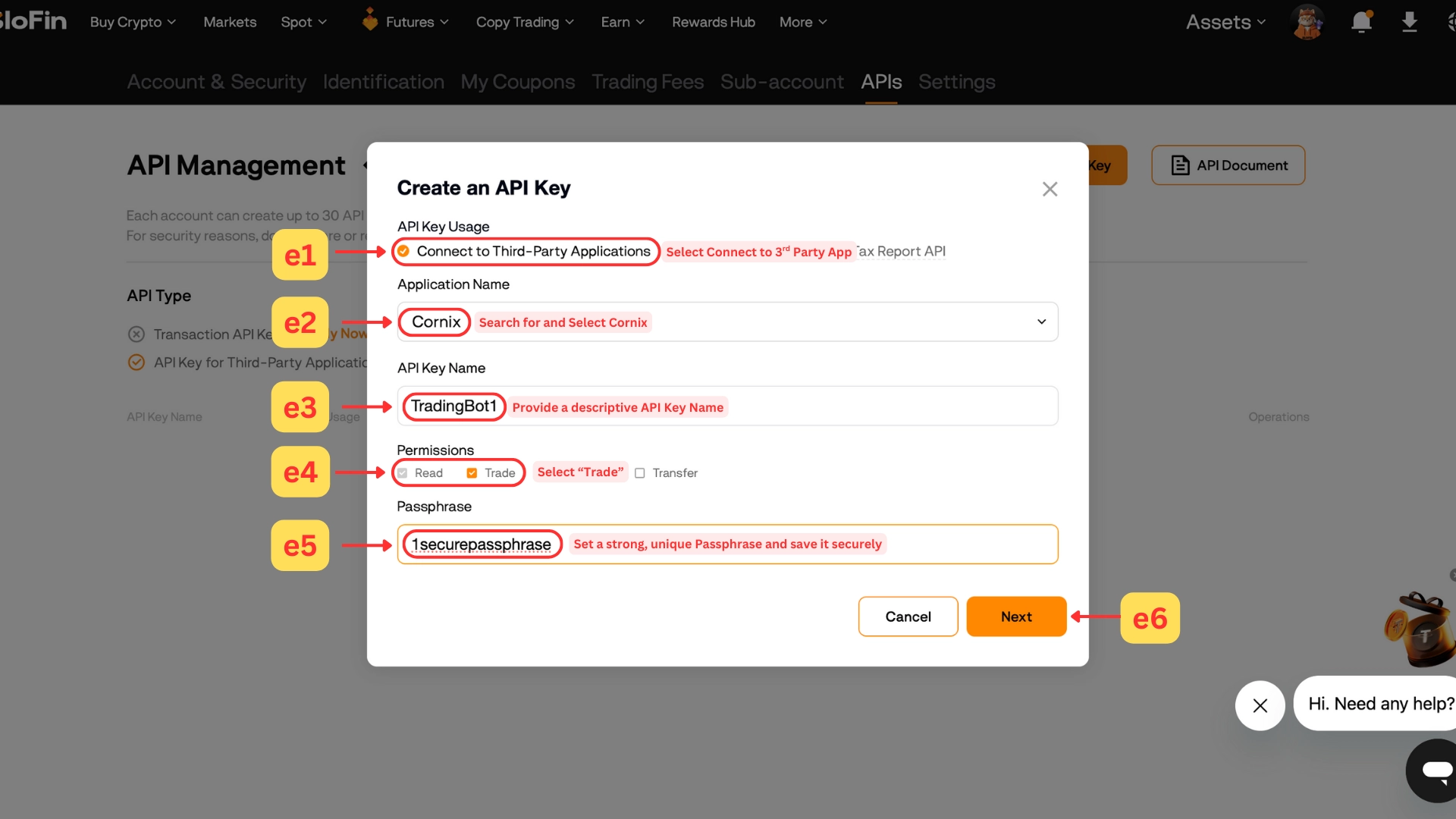
In the pop-up window:
- Choose "Connect to Third-Party applications".
- In the Application Name field, search for and select Cornix.
- Give the key a descriptive API Key Name (4–20 characters; letters, numbers and "_" only).
- Under Permissions, select Read and Trade.
- Set a strong Passphrase (4–20 characters; letters, numbers and "_" only) and save it — you'll enter it in the Sequence wizard along with the key.
- Click Next.
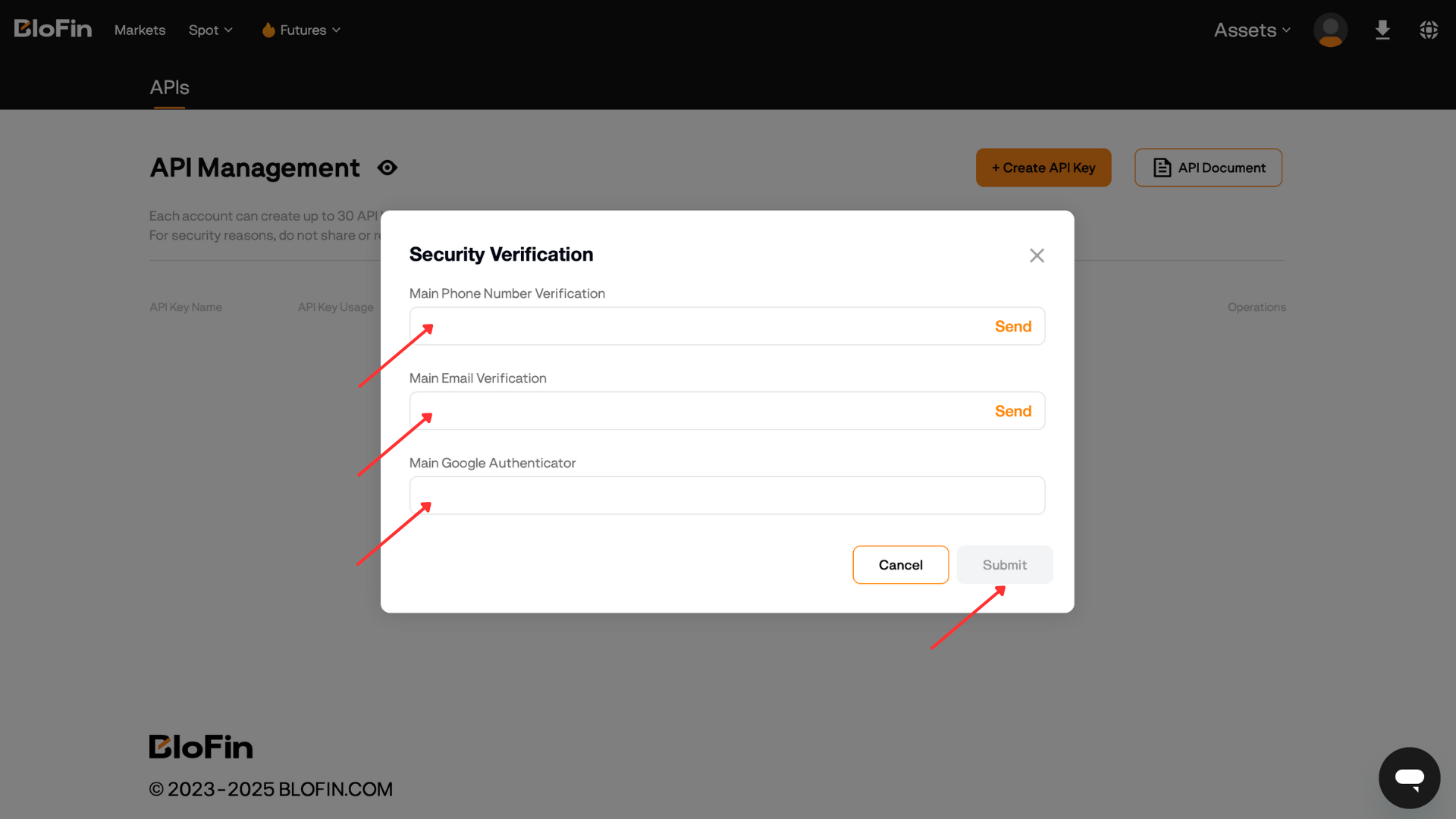
Step 3 — Verify and save your key
- Complete the required security verification steps and click Submit.
- When you see "API Key created successfully" (bottom-left corner), copy your API Key and Secret Key to a secure place.
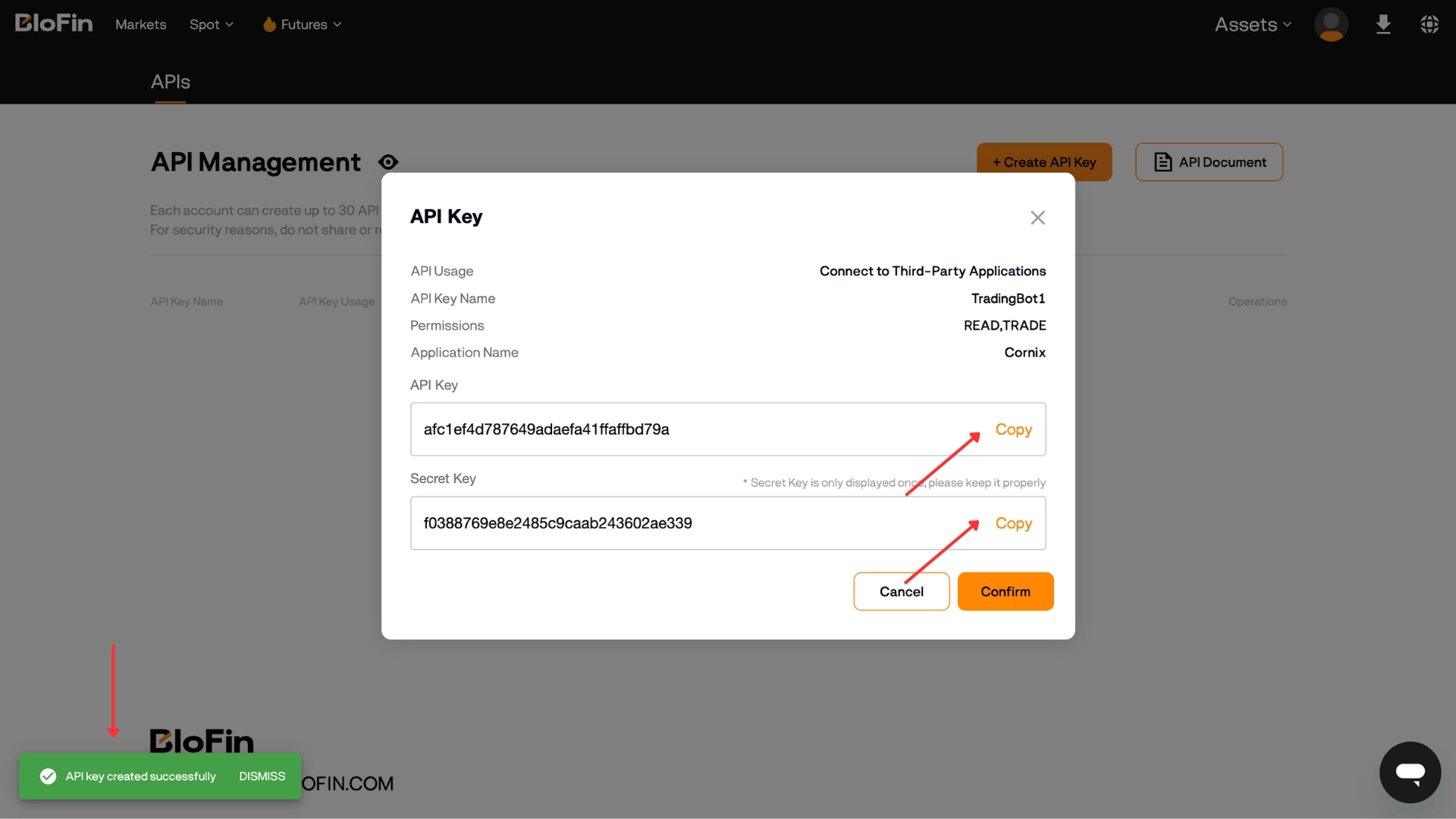
Important: save your Secret Key now — it is shown only this one time, and neither Blofin nor Sequence can recover it later.
What's next
With your key created, return to the setup guide and enter it in the Sequence wizard: How to get started and set up Alpha Pro.