

This guide shows you how to create a dedicated subaccount and fund it on Bybit. It takes about 10 minutes, and you only do it once.
Prefer to watch? This short video shows all the steps — it has no sound; it's easy to follow on screen:
Why dedicated? Alpha Pro needs a space that only it uses. To keep the strategy working correctly, don't place manual trades or modify positions inside it once it's running.
Step 1 — Create a sub-account
- Log in to your Main account and click Switch / Create Account (or choose Sub-account from the menu).
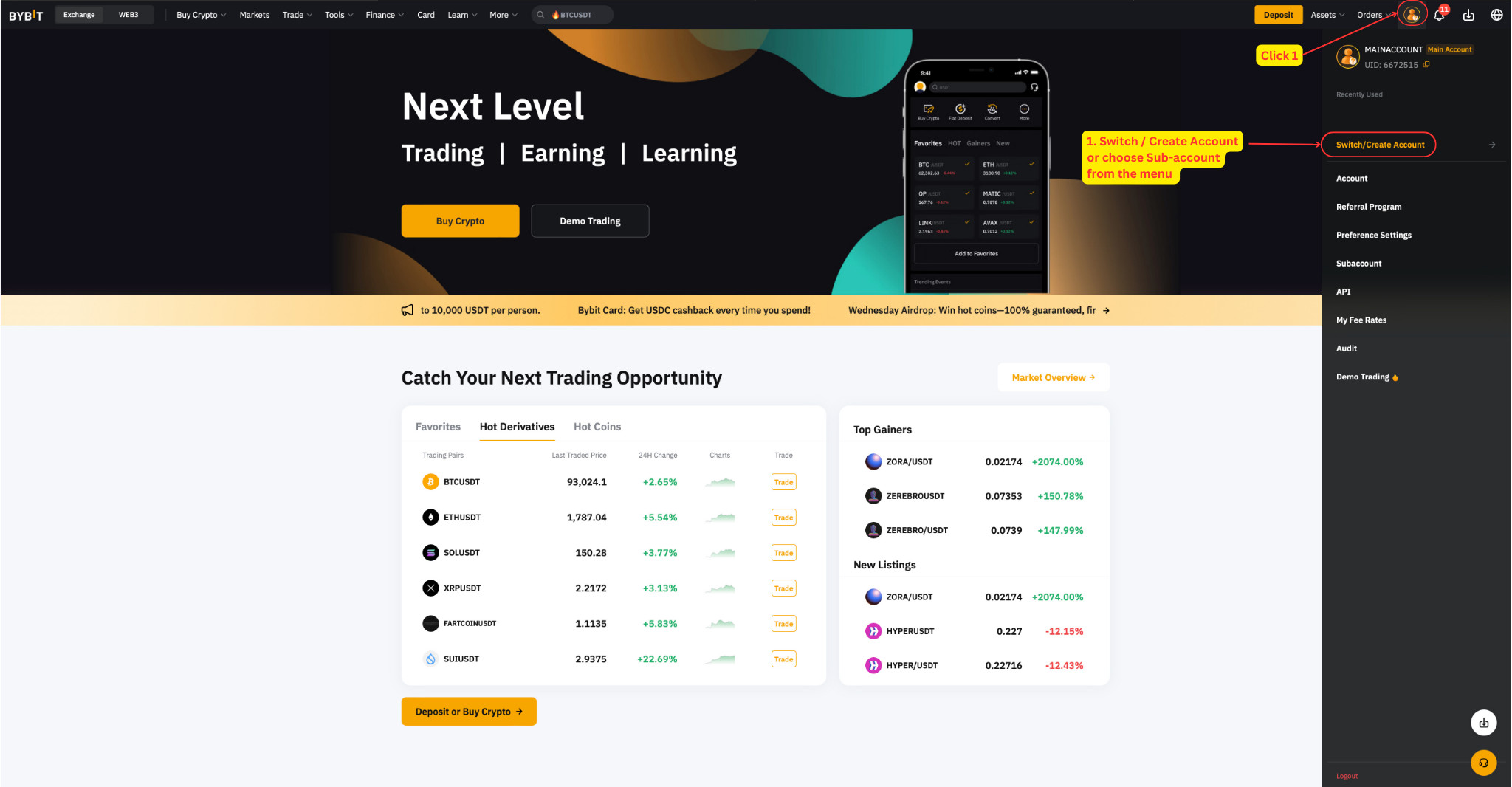
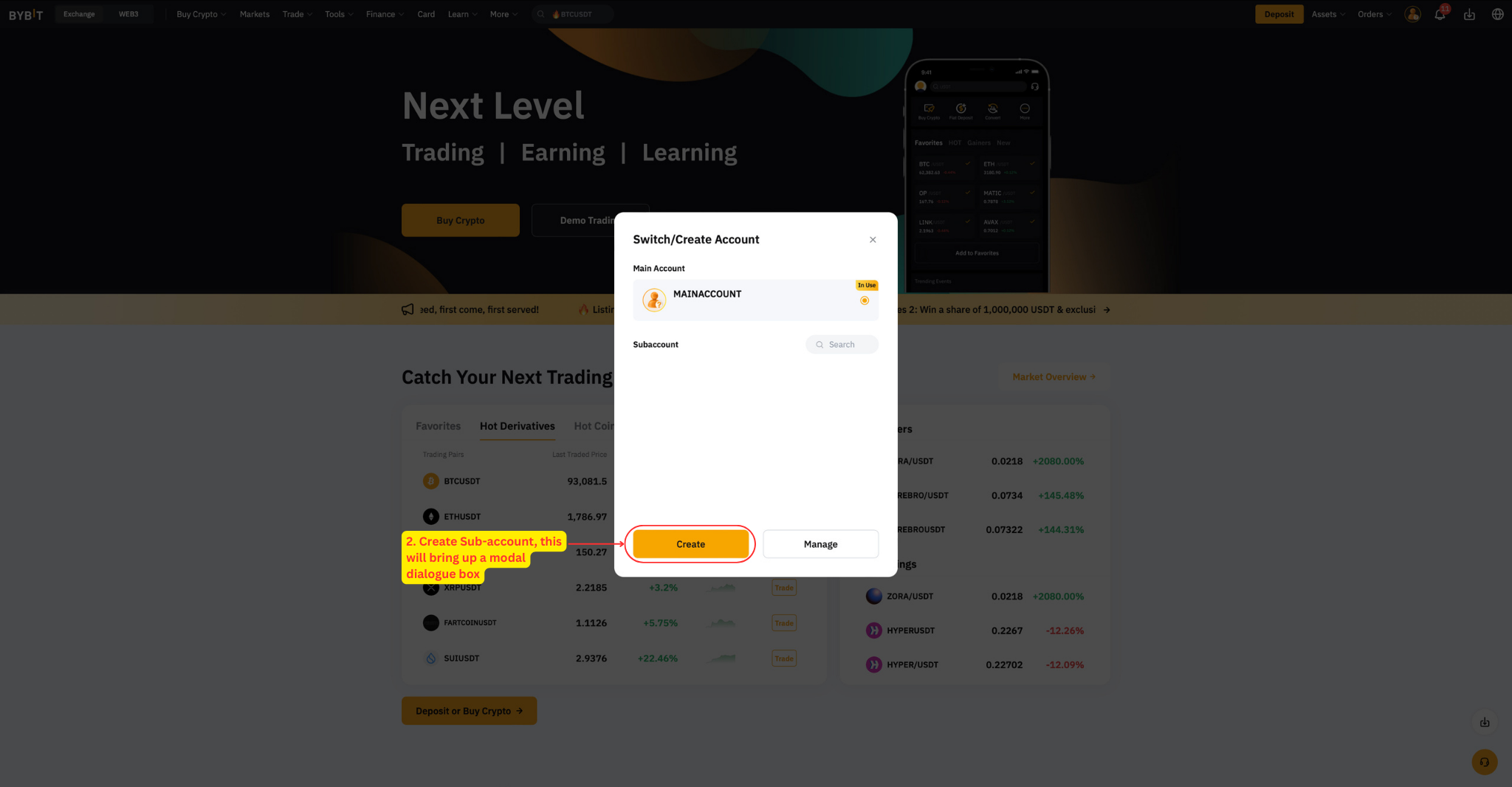
- Click Create Sub-account. A dialog box will open.
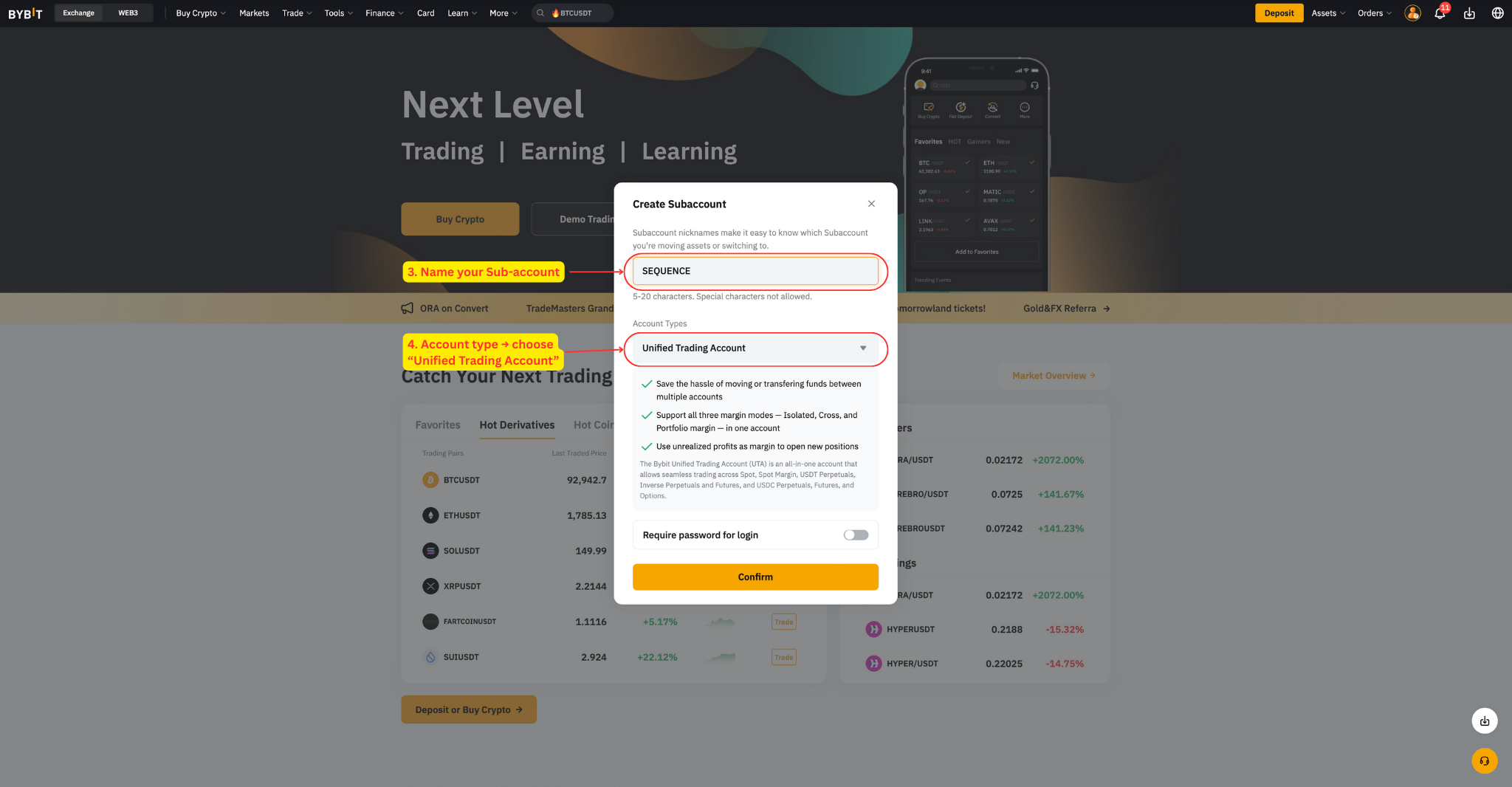
- Name your sub-account.
- For Account type, choose Unified Trading Account.
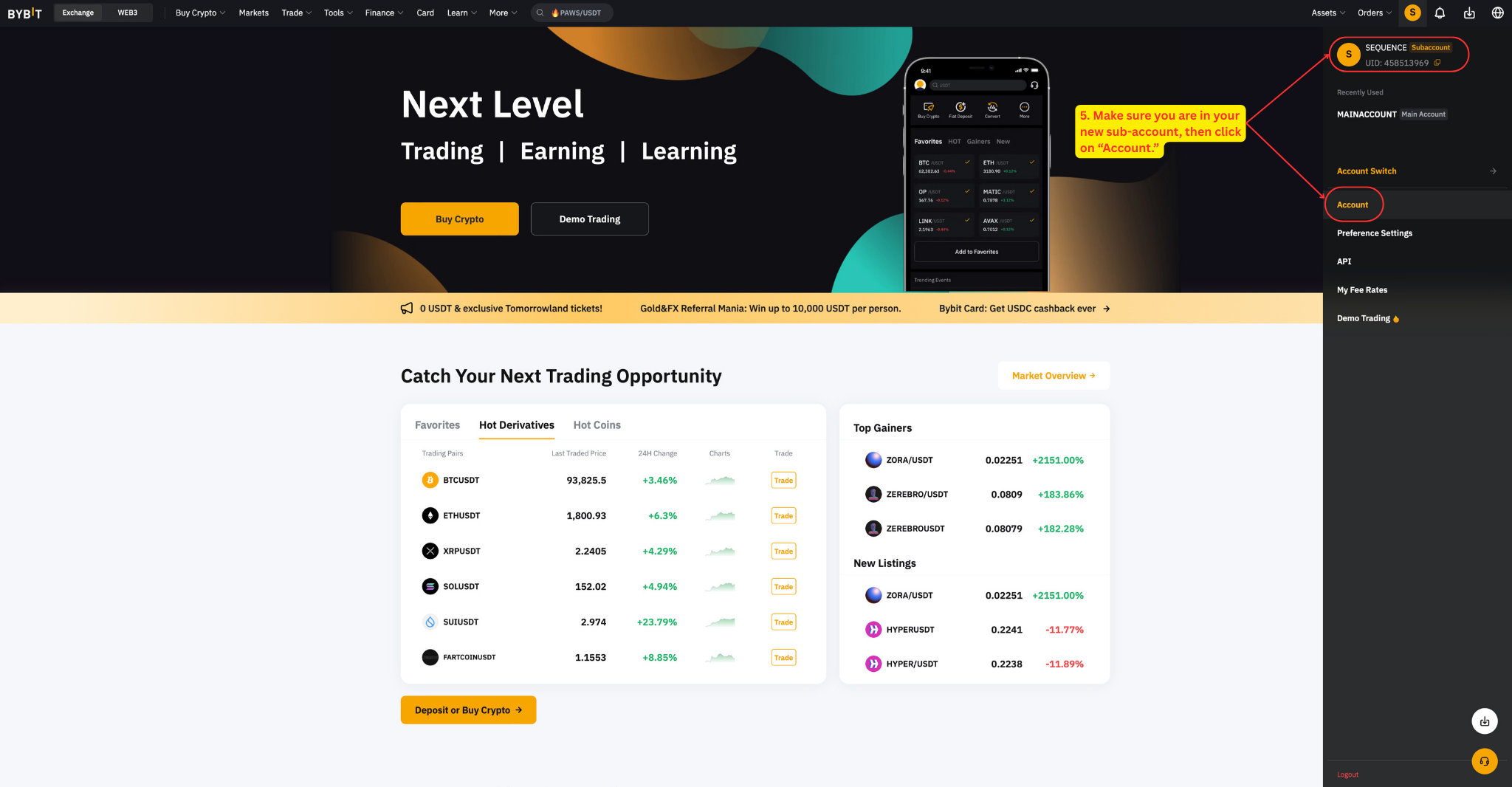
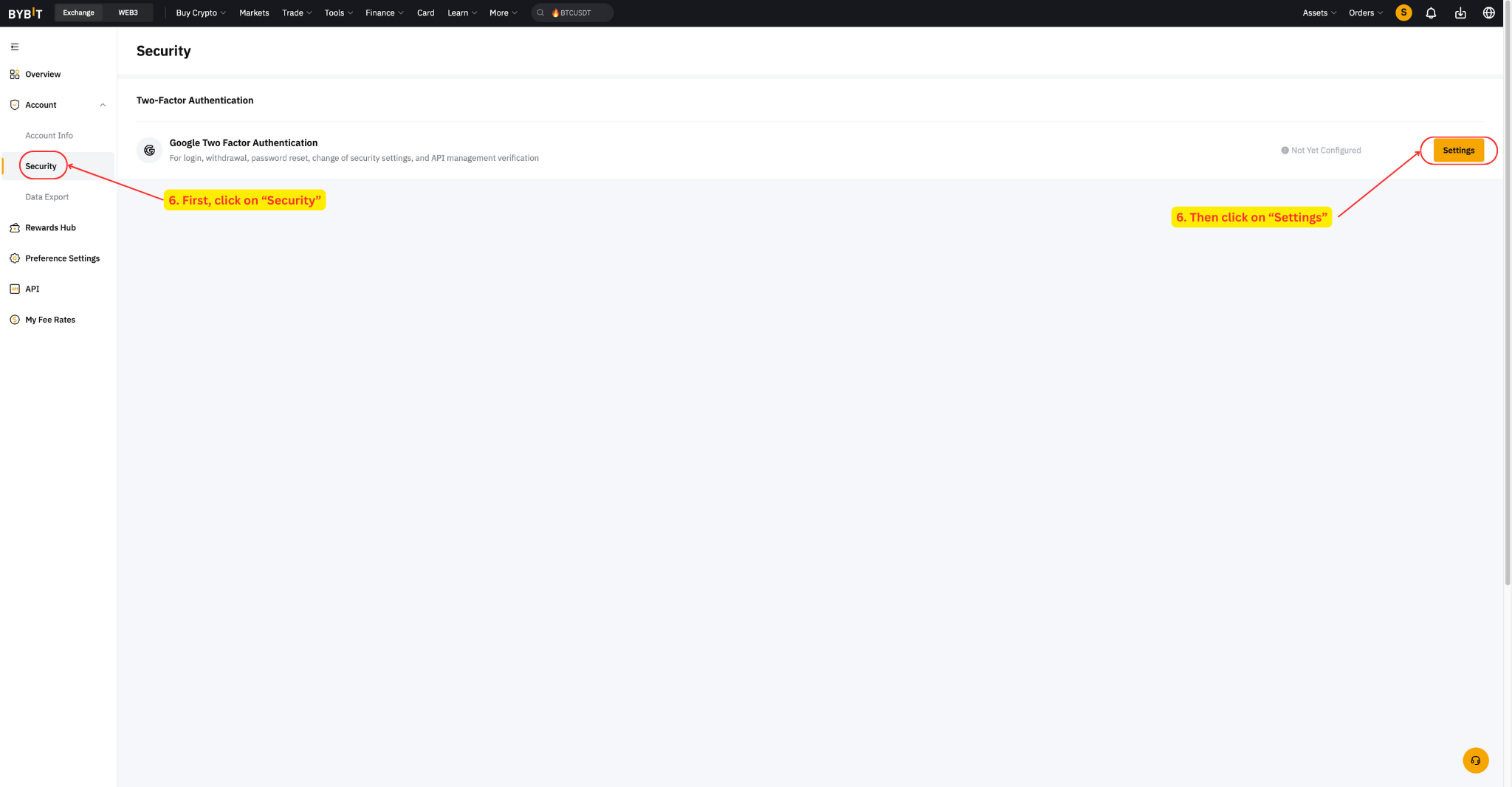
- Make sure you are now inside your new sub-account, then click Account.
- Click Security, then Settings. A dialog box will open.
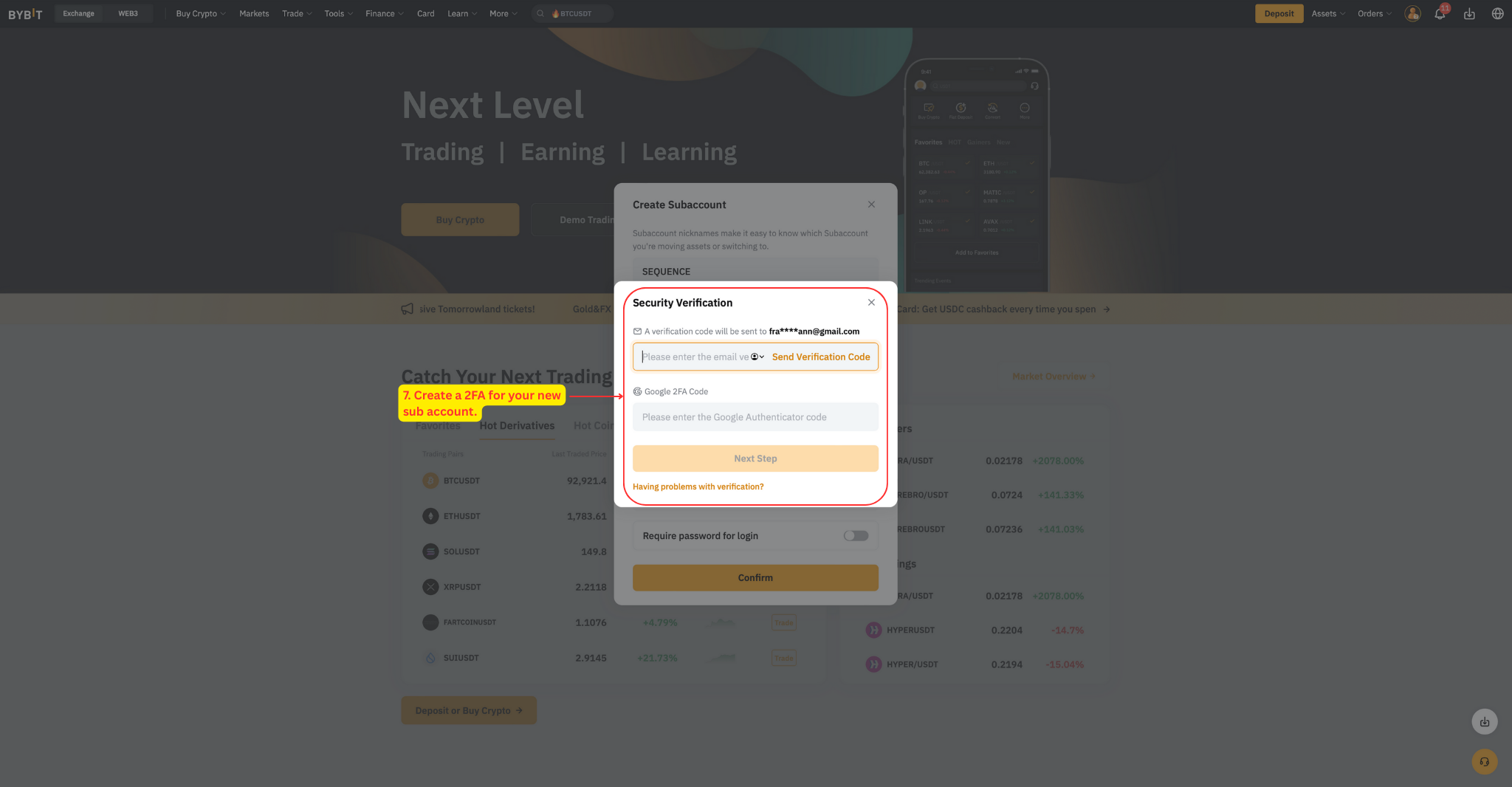
- Create a 2FA for your new sub-account. This is a separate 2FA from the one on your main account. Here's what to expect: you'll receive an email with a security code, enter it on the platform, and a pop-up with a QR code will appear — scan it with your Google Authenticator app and follow the on-screen steps.
Step 2 — Transfer funds
Your sub-account needs to hold the minimum balance before you connect it — at least $30,000 USDT or USDC for Alpha 1x, or 0.4 BTC or $30,000 USDT or USDC for Alpha 2x. If the funds aren't there, connecting will fail with an "Insufficient Funds" error.
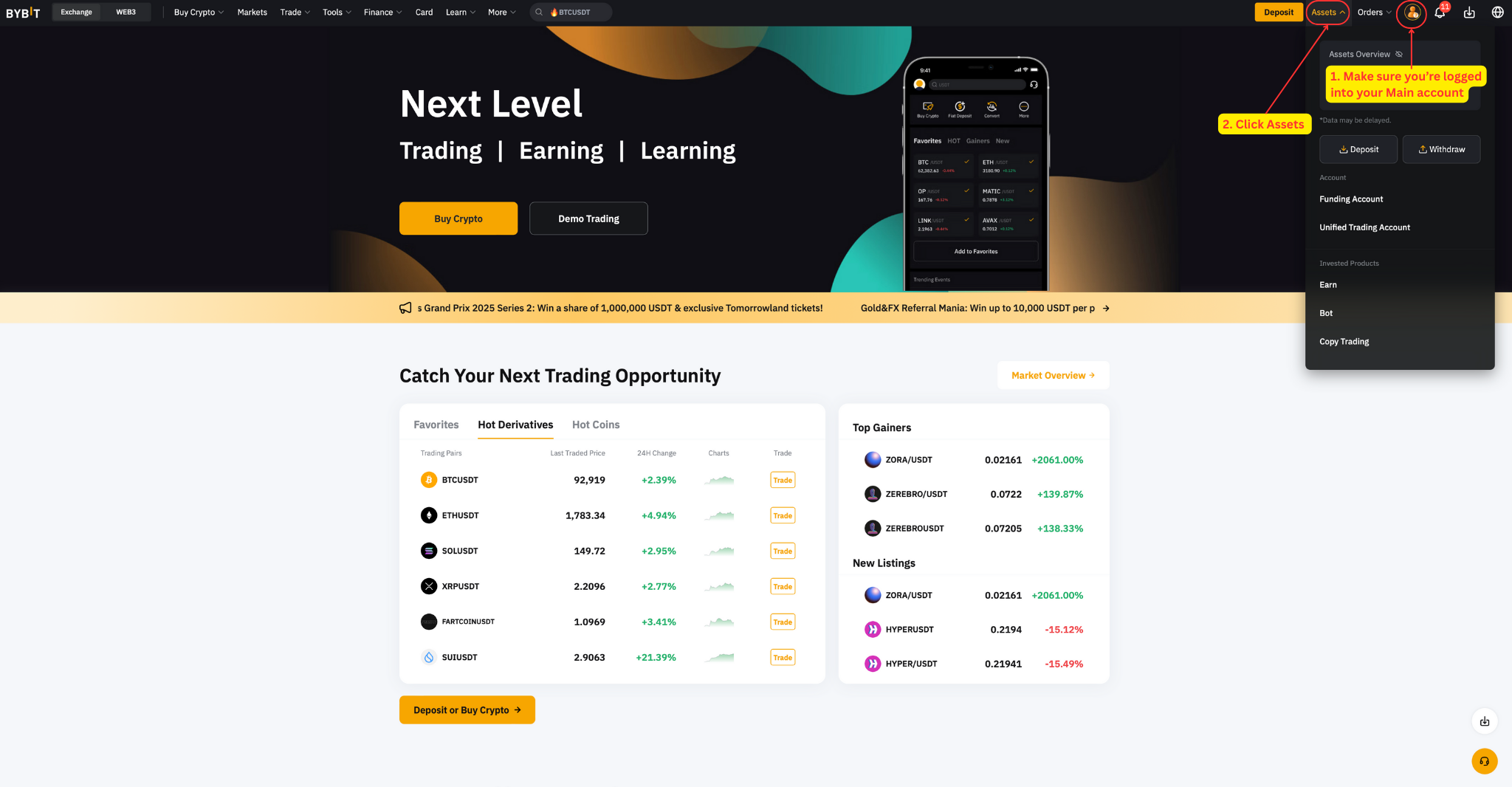
- Make sure you're logged into your Main account.
- In the top bar, click Assets.
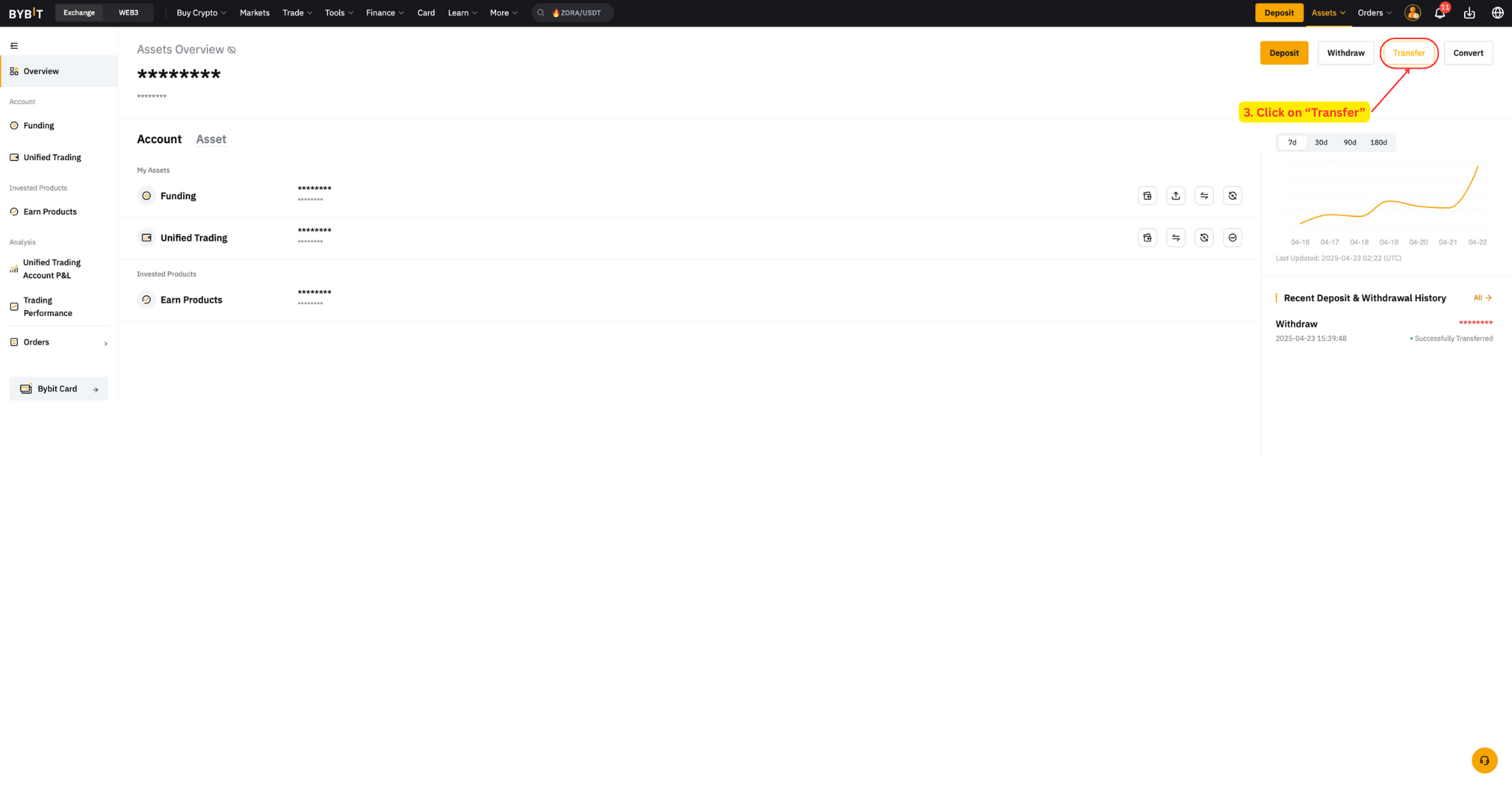
- Click Transfer.
- Select Across Sub-account(s).
- Transfer from your Main account (Funding or Unified Trading) to your new sub-account's Unified Trading wallet.
- Enter the amount in your base trading asset — the asset you want to accumulate.
- Click Confirm to complete the transfer.
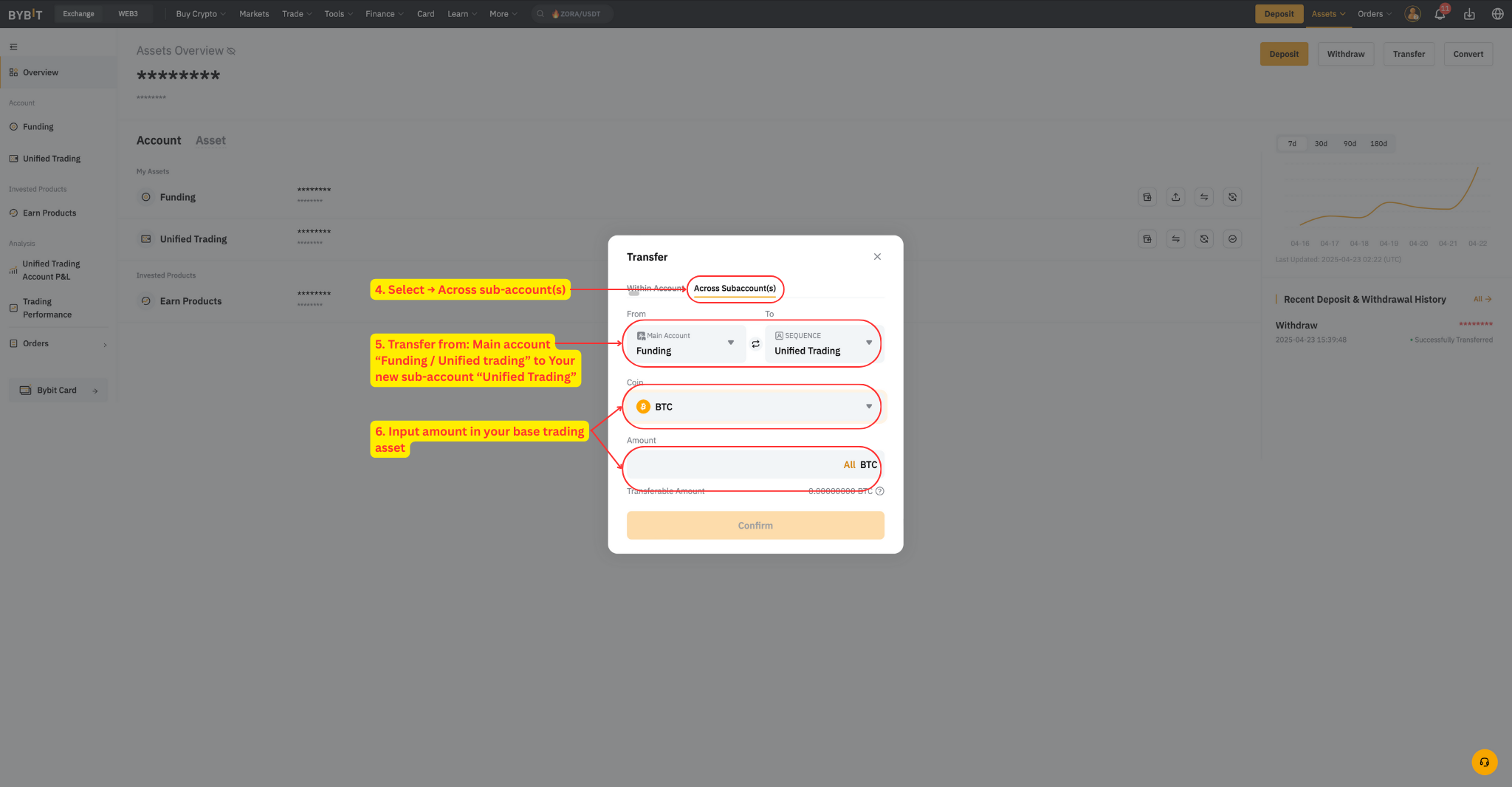
Important: the funds must end up in the sub-account's Unified Trading wallet — that's the wallet Alpha Pro trades from.
Alpha 2x only — margin and collateral
Two account settings to check if you run Alpha 2x:
- Margin mode: leave it on cross margin — it's the exchange default and Alpha 2x is built around it. Don't switch to isolated.
- BTC as collateral: if you fund with BTC, turn the Collateral Switch ON for BTC in your Bybit account (Assets → BTC → Collateral Switch), so your BTC can back the trades.
What's next
Your subaccount is ready. Continue with the setup guide to connect it to Alpha Pro: How to get started and set up Alpha Pro.