

What you'll accomplish
By the end of this guide, you'll have:
- A Sequence account ready to use.
- Your exchange securely connected via a trade-only API key.
Once your exchange is connected, the Sequence team activates Alpha Pro on your account — you don't need to launch anything yourself.
Before you begin
Before starting, make sure you have:
- Your Alpha Pro invitation code.
- An account with one of our supported exchanges.
Don't have a subaccount yet? Follow Create your trading subaccount first to create, configure, and fund it before continuing.
Once configured, make sure your dedicated subaccount is funded with at least:
- Alpha 1x: $30,000 USDT or USDC
- Alpha 2x: 0.4 BTC or $30,000 USDT or USDC
Recommended: complete the setup on a desktop browser (preferably Chrome). While some steps may work on mobile browsers, creating API keys is significantly easier on desktop and is not supported in most native exchange apps (such as Bybit or Binance).
Note: see the green chat bubble in the bottom-right corner of the app? That's our chatbot — it can assist you at any moment if you have questions during setup.
Setup overview
Setting up Alpha Pro consists of two simple steps:
- Create your Sequence account (or sign in).
- Connect your exchange via API.
That's it — once your exchange is connected, our team activates Alpha Pro for you, and it begins trading automatically whenever market conditions match the strategy's entry criteria.
Step 1 — Create your Sequence account
Note: the email you register with becomes the primary email of your Sequence account — 2FA codes, invoices, account verification, and private support responses will only be sent there. And if that email is Hotmail, Outlook, Live, MSN, or another Microsoft-hosted address, some platform features may not work correctly: contact support@tradewithsequence.com before continuing so we can help you choose the best setup.
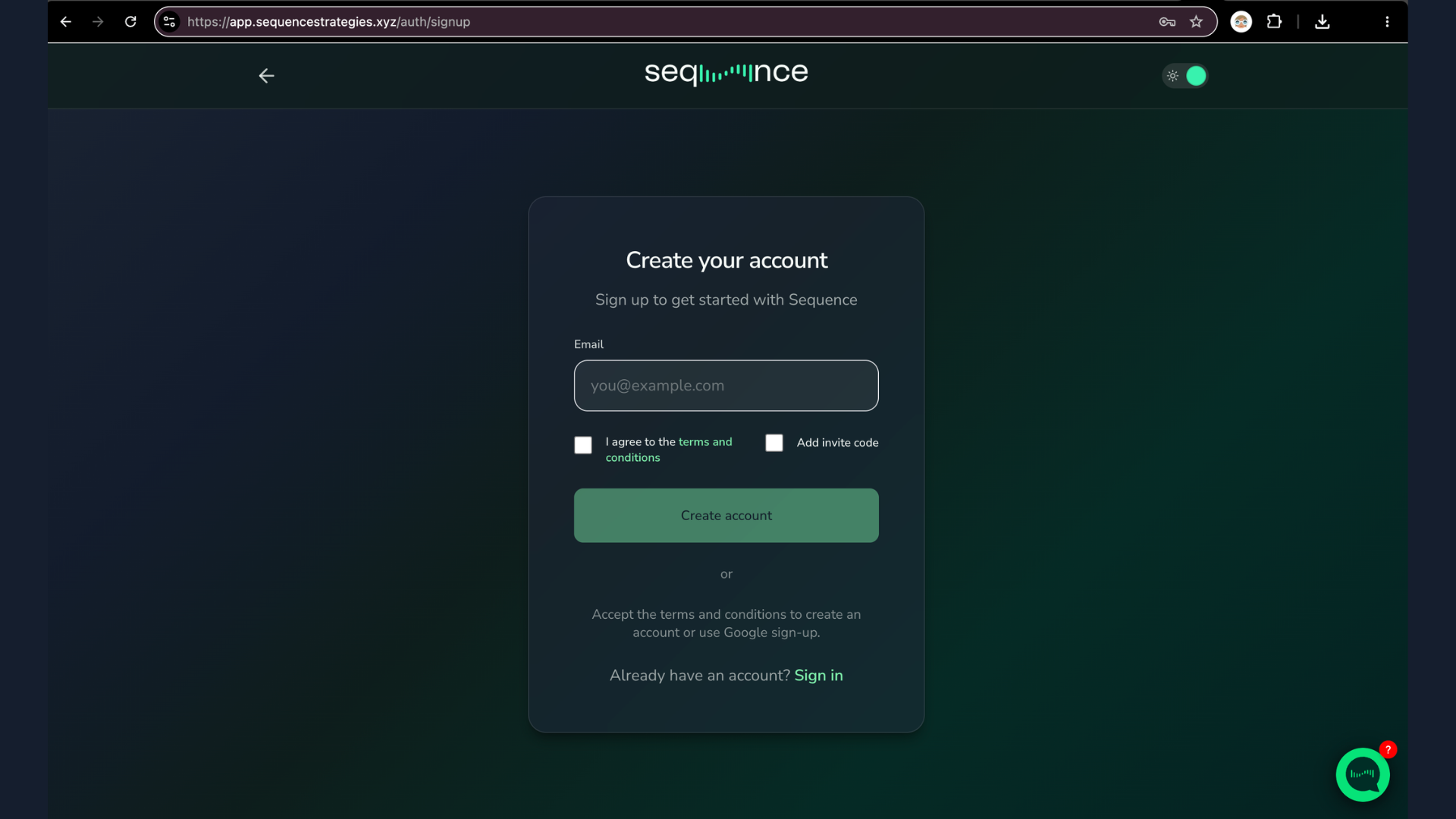
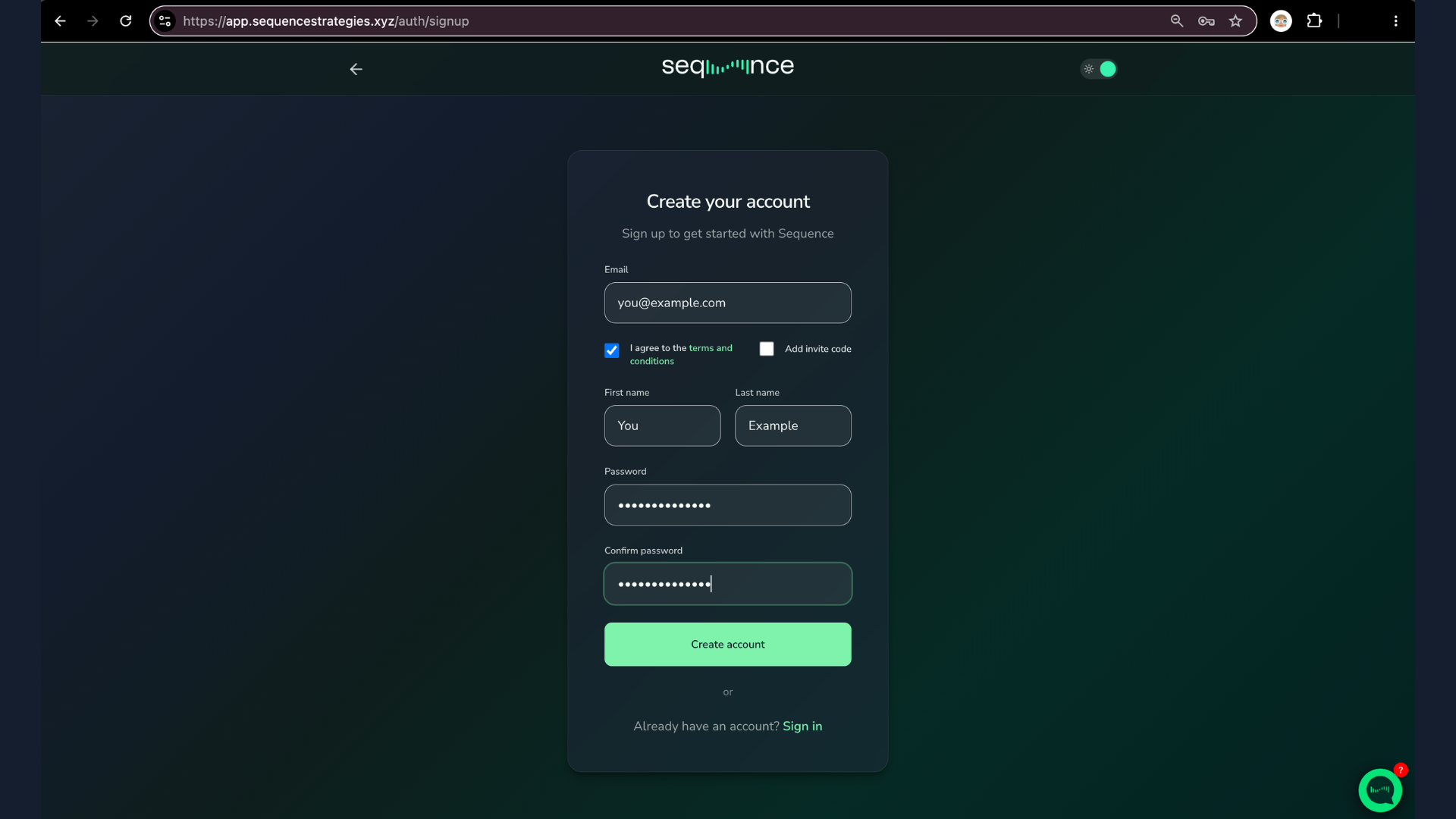
Enter your email, accept the terms and conditions, and check Add invite code — Sequence is invitation only. Then complete the form with your name and password, and click Create account (or use Google sign-up).
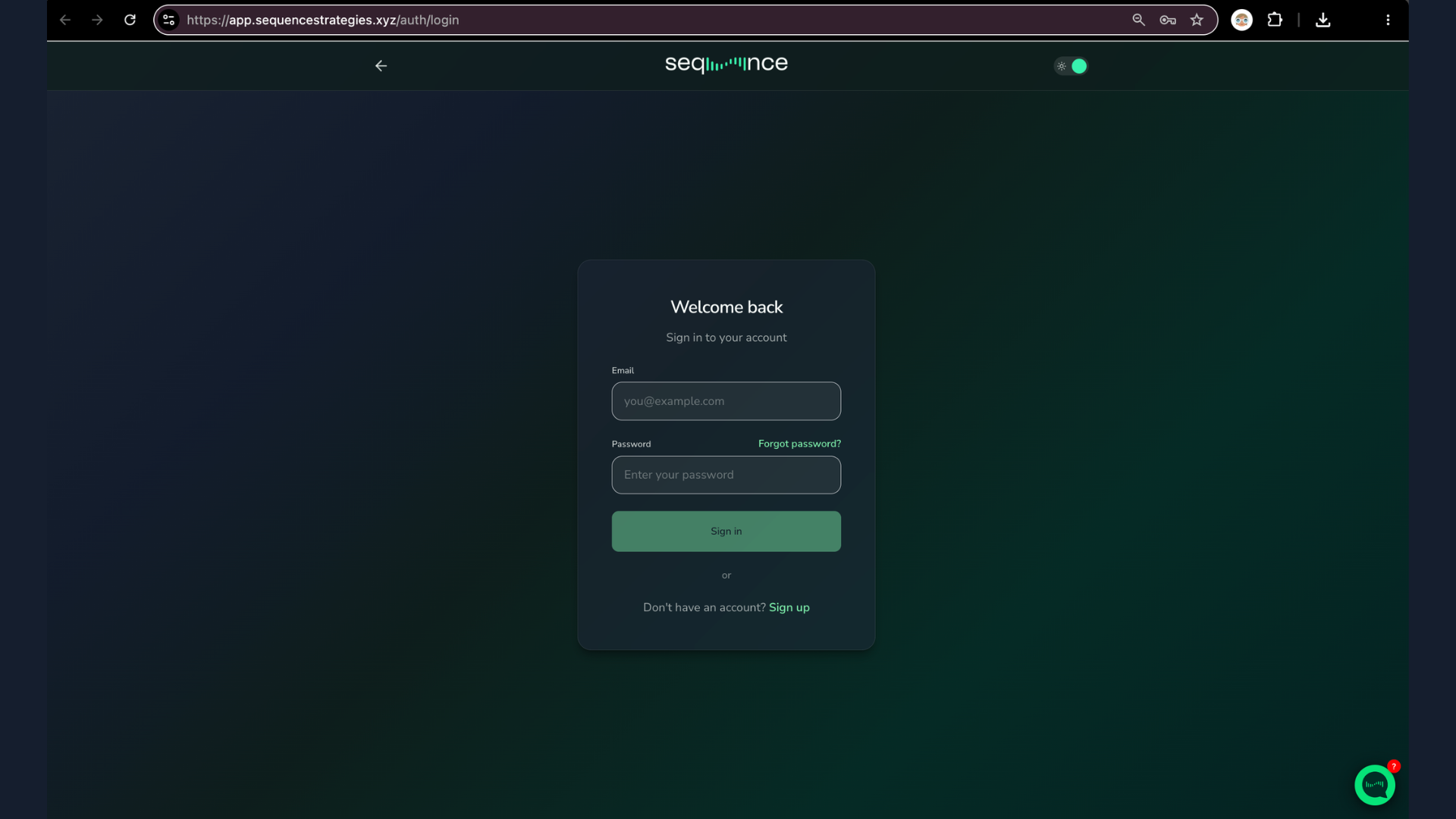
Already have an account? Sign in at app.sequencestrategies.xyz/auth/login.
Step 2 — Connect your exchange
You'll need the API keys from your exchange for this step. Don't have them yet? Follow Create your API keys first — it takes about 5 minutes and shows the exact permissions for your exchange.
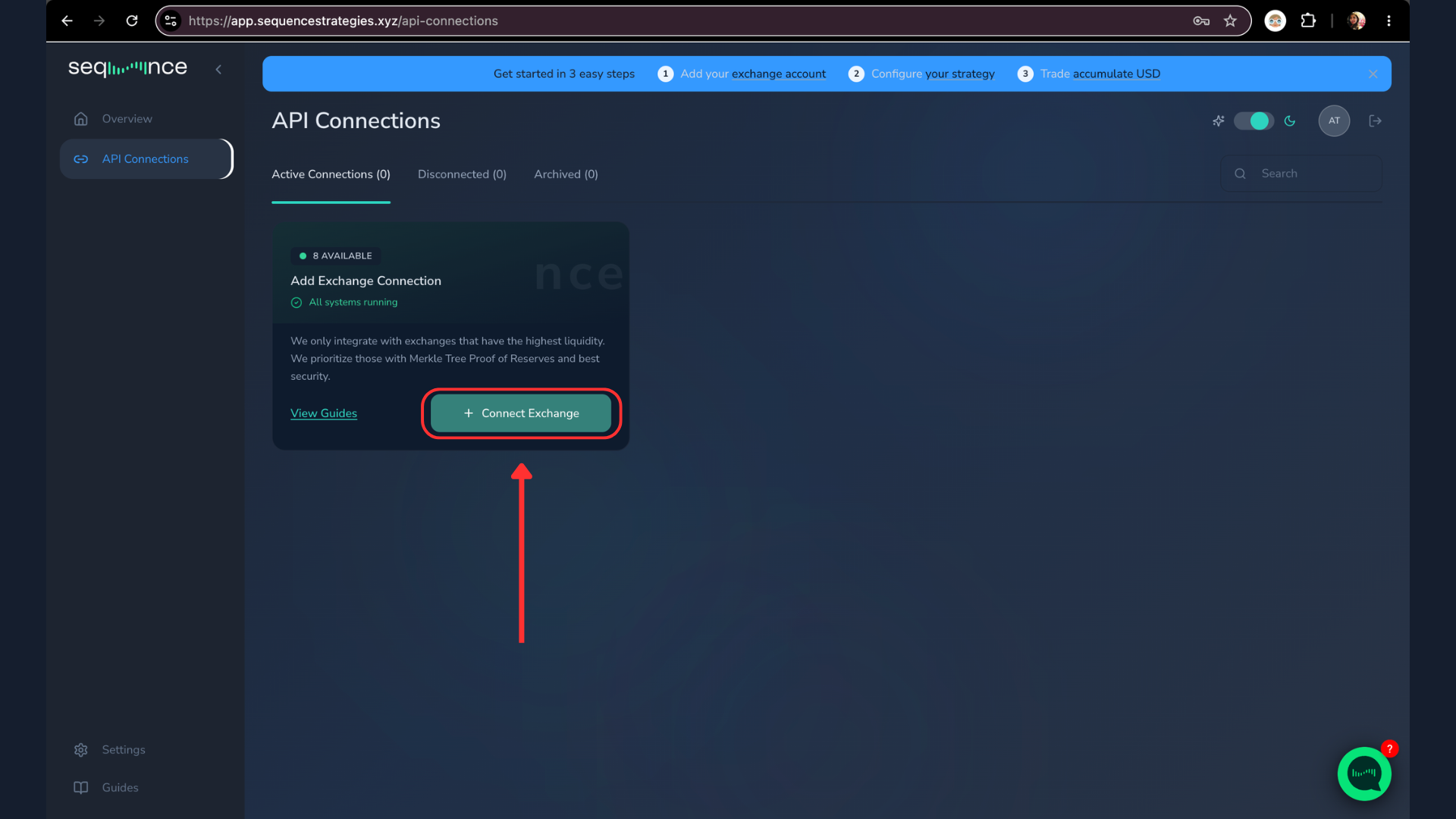
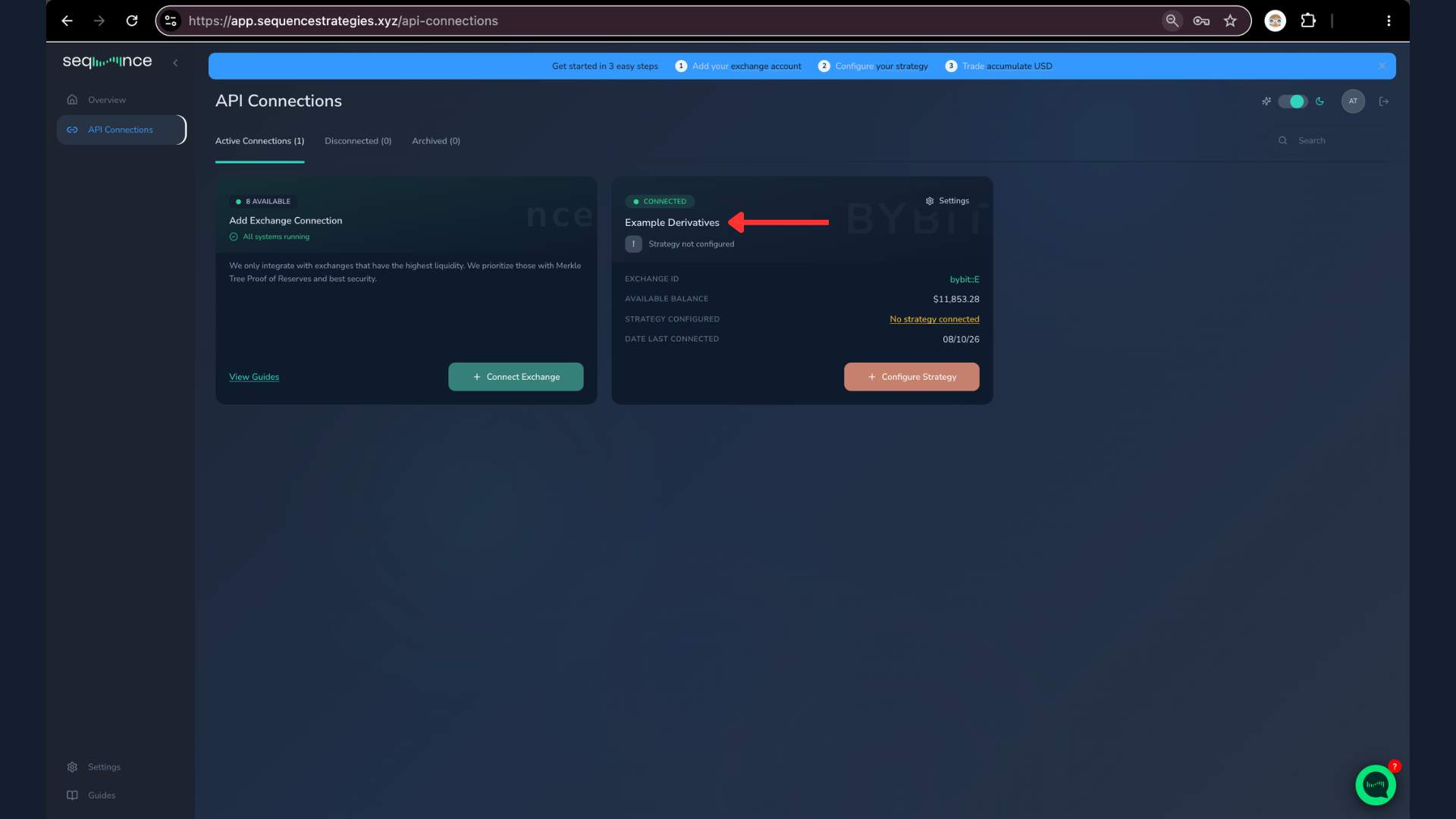
- In the left panel, click API Connections.
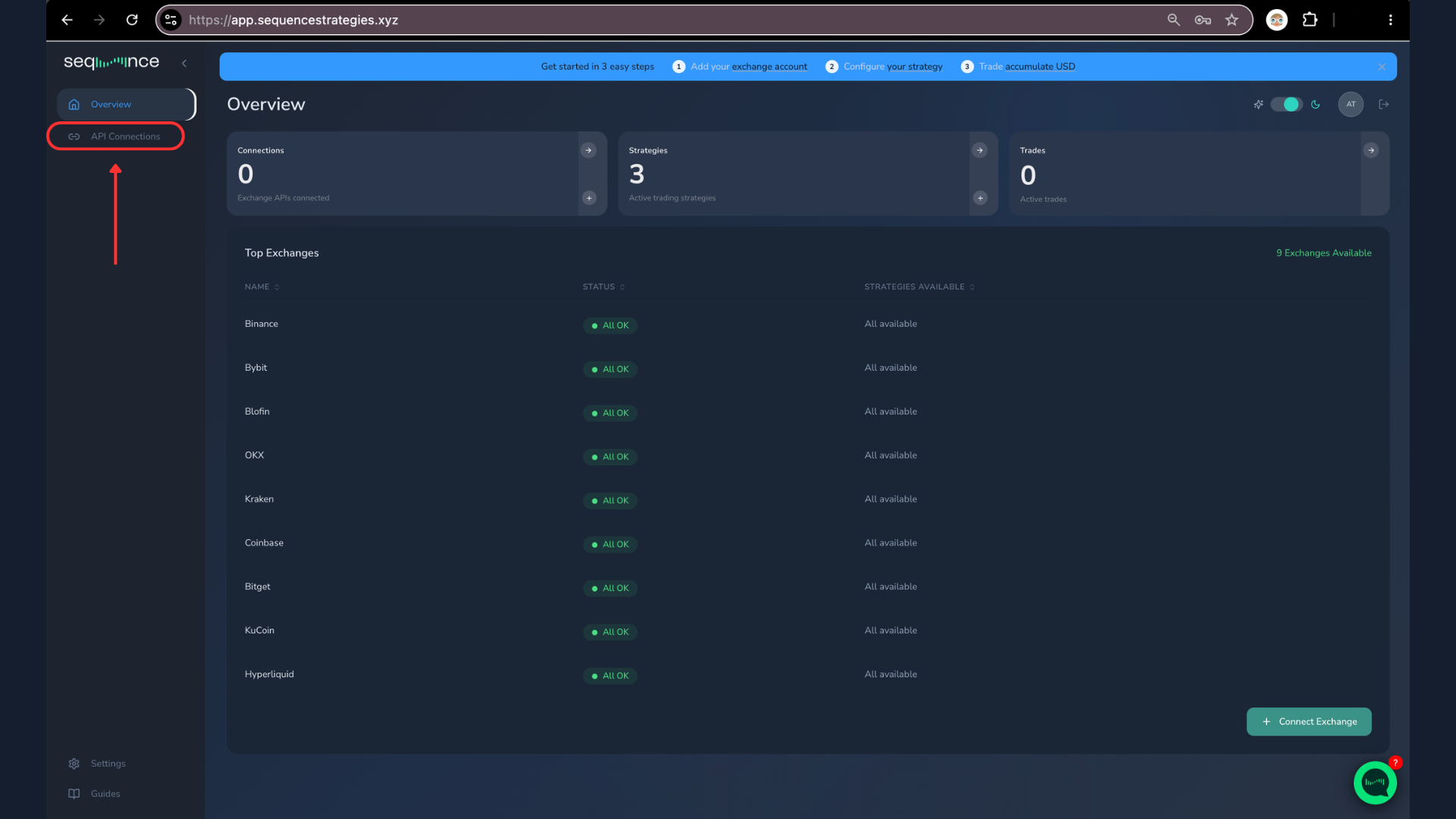
- Click Connect Exchange.
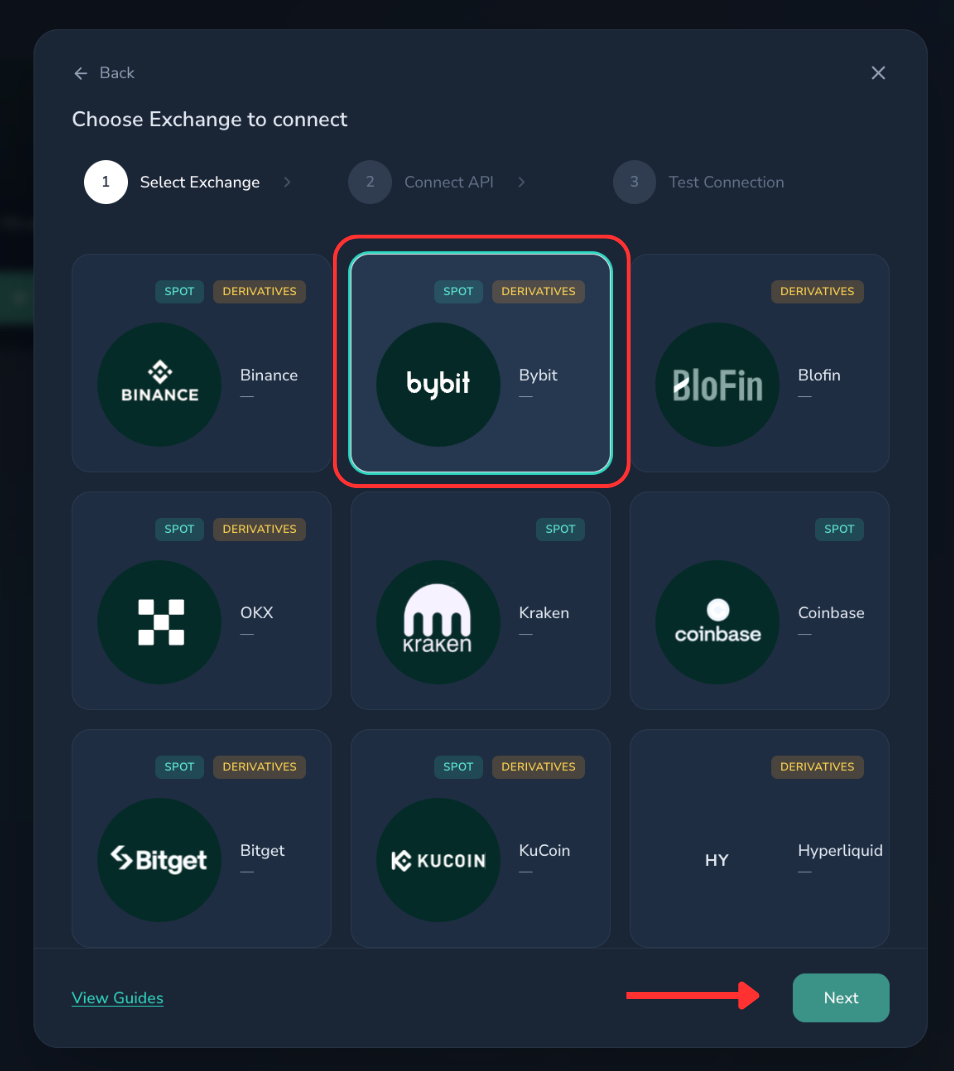
- Choose your exchange and click Next.
- Complete the form: give the connection a name, paste your API key and API secret (from the key you created on your exchange), and submit.
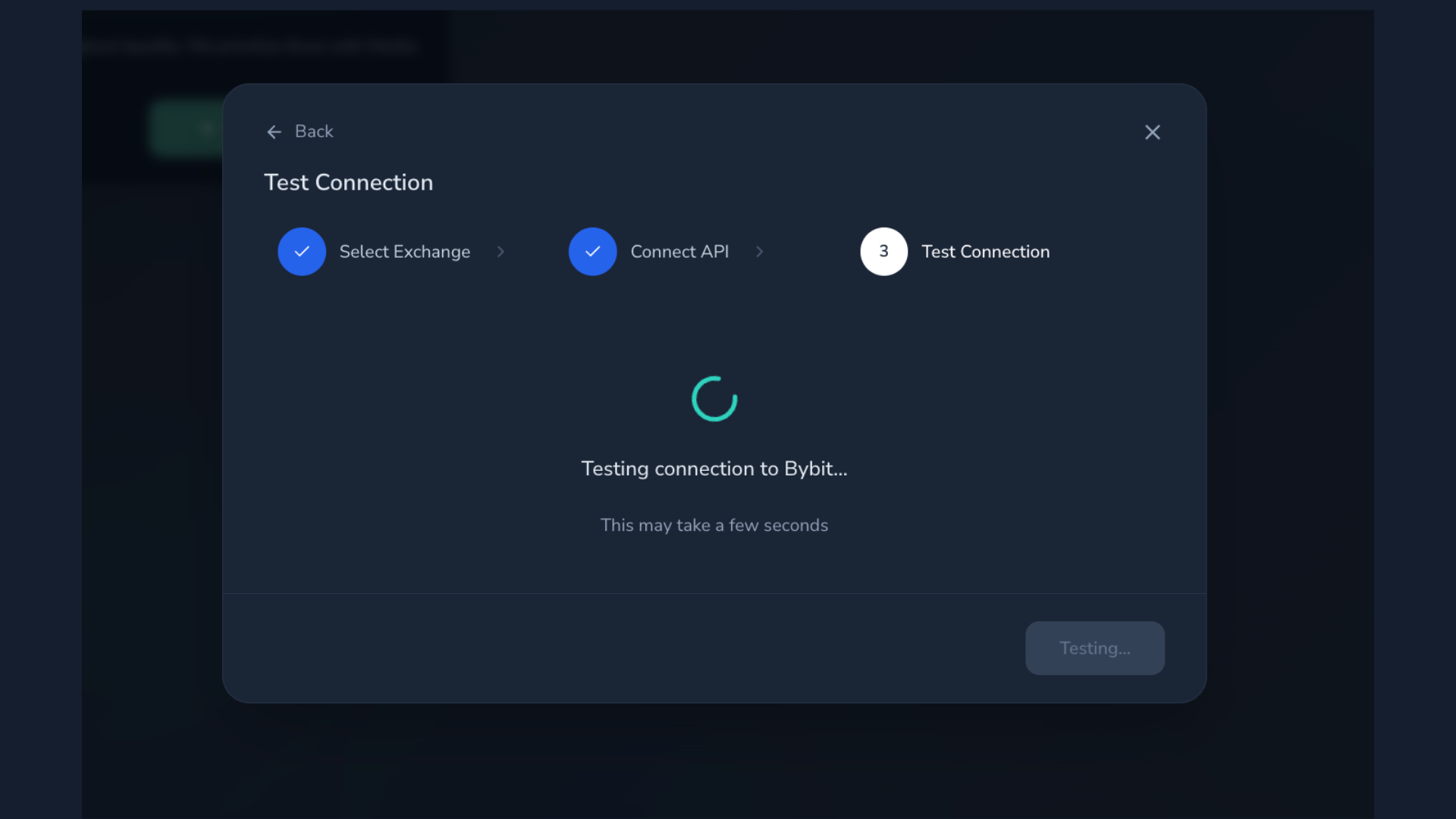
- Our system tests the connection — this takes a few seconds.
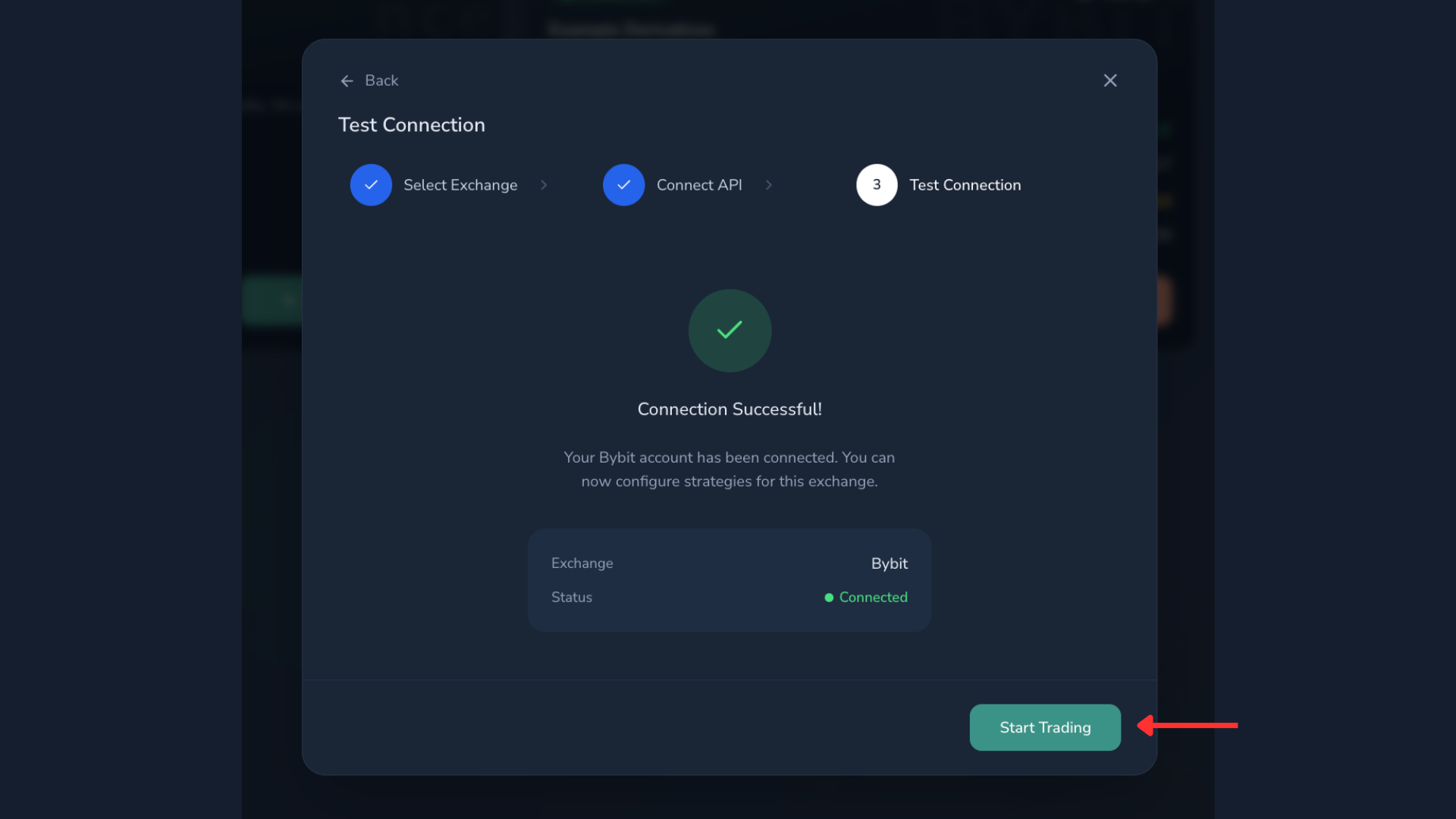
- When you see Connection Successful!, click Start Trading.
- Your connection now appears in API Connections, with your available balance.
Troubleshooting: Exchange connection test fails when submitting API keys
If the test ends in Connection Failed (invalid exchange credentials):
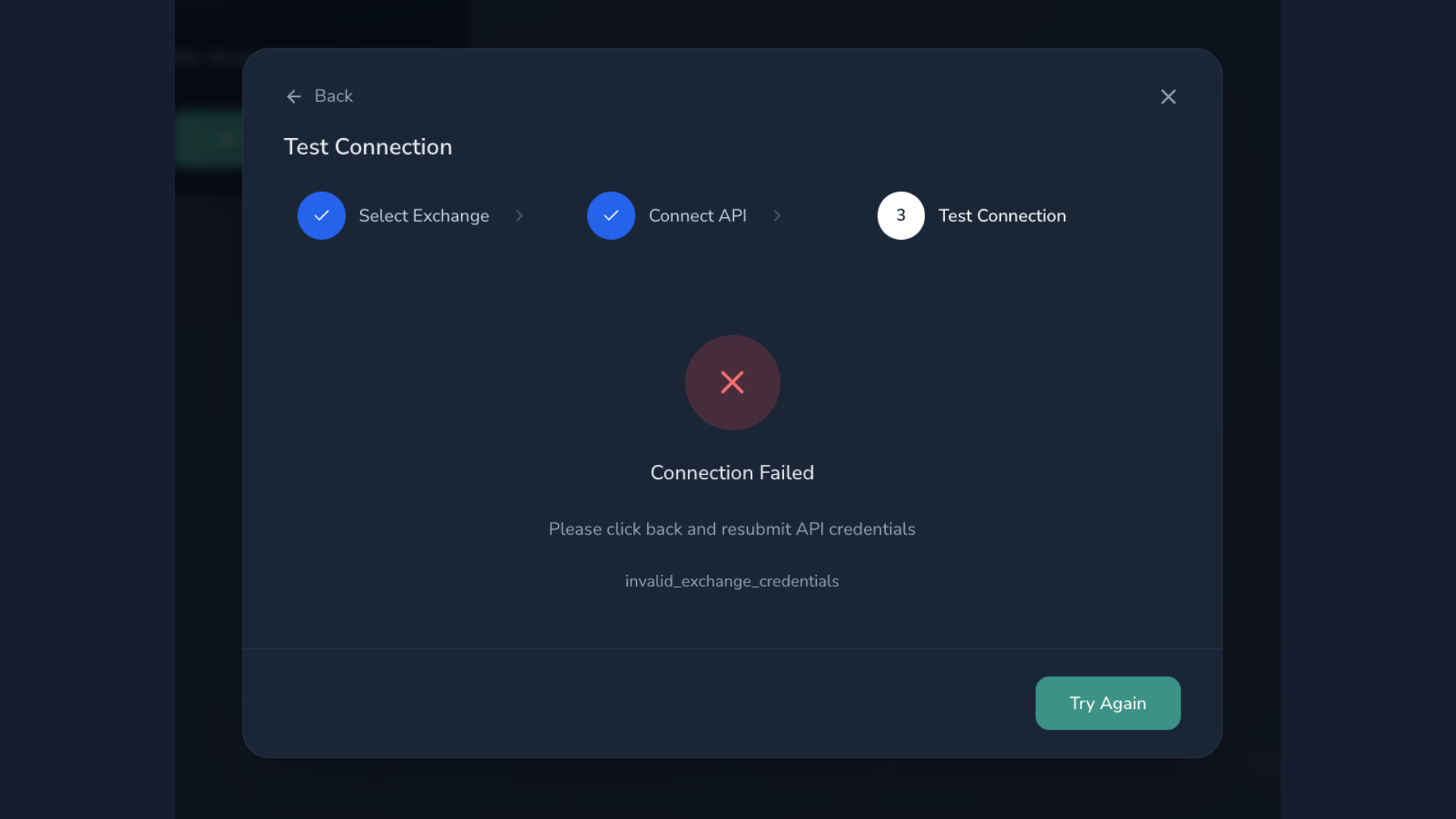
- Clear your browser's history, cookies and cache — or open a new incognito window.
- Create a new set of API keys on your exchange (follow your exchange's page in Create your API keys).
- Click Try Again and resubmit the new credentials.
What's next
Once your connection shows as Connected, you're done — the Sequence team activates Alpha Pro on your account, and it starts trading automatically whenever market conditions match the strategy's entry criteria. Questions while you wait? The chat bubble in the bottom-right corner is there for you at any moment.