

Note: Blofin supports Alpha 2x only. If you want to run Alpha 1x (spot), pick another exchange from Create your trading subaccount.
Why dedicated? Alpha Pro needs a space that only it uses. To keep the strategy working correctly, don't place manual trades or modify positions inside it once it's running.
Step 1 — Create a sub-account
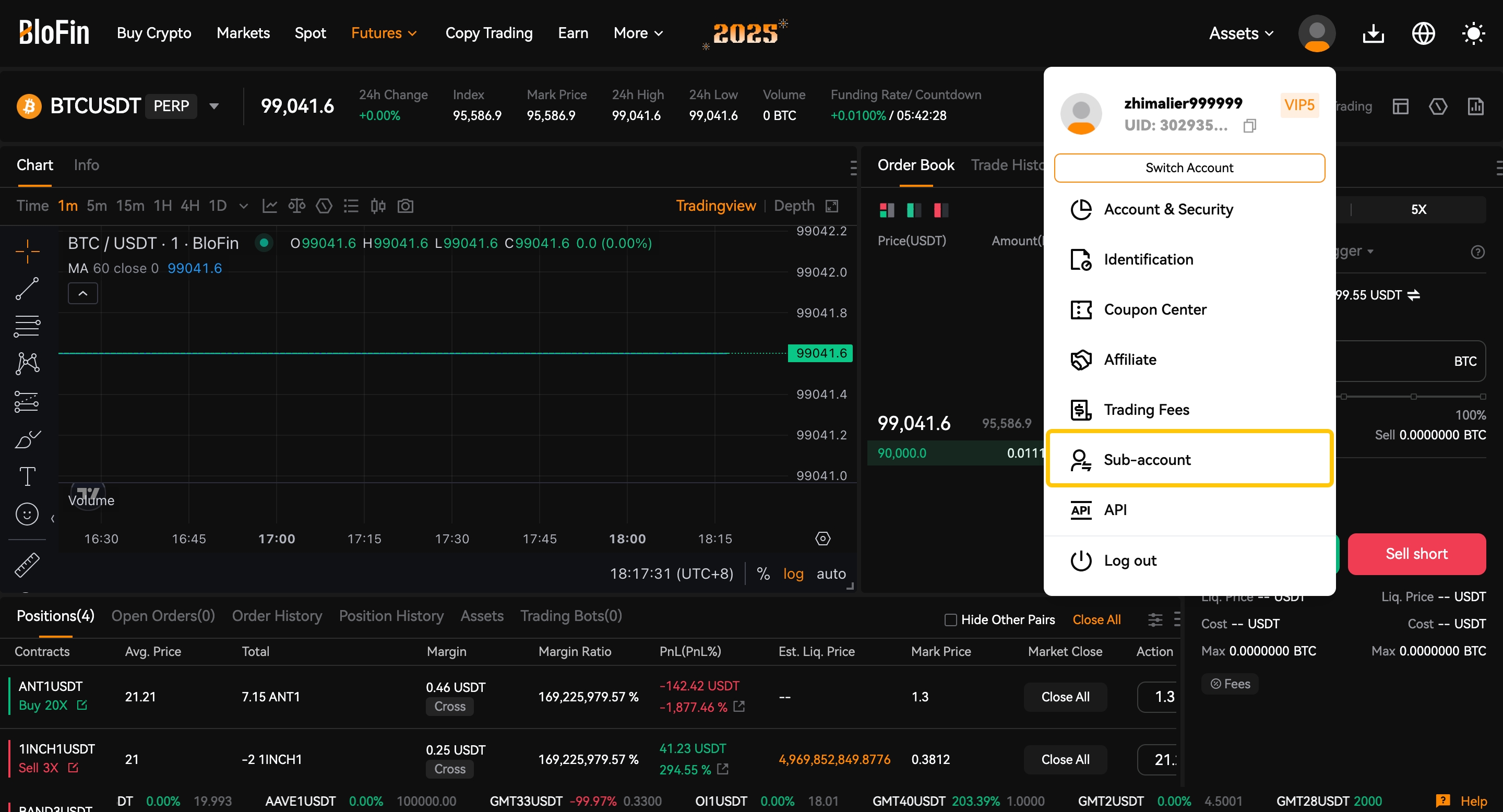
- Open the Blofin website and log in to your account. Click your User Avatar and select Sub-account.
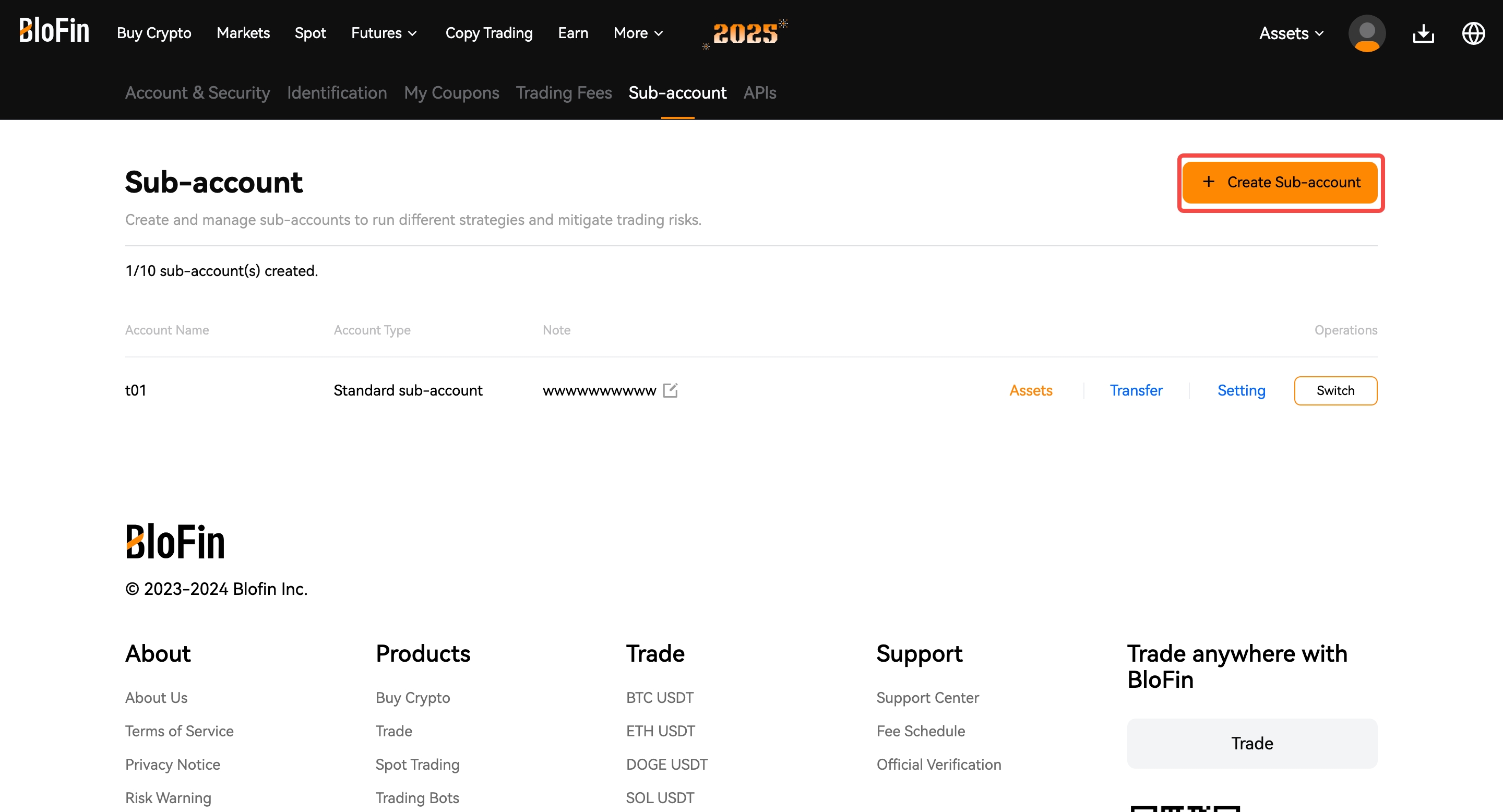
- Click + Create Sub-account.
- Enter a nickname for your sub-account, then click Submit.
- Complete the security verification to finish creating it.
Step 2 — Transfer funds
Your sub-account needs to hold the minimum balance before you connect it — at least 0.4 BTC or $30,000 USDT or USDC for Alpha 2x. If the funds aren't there, connecting will fail with an "Insufficient Funds" error.
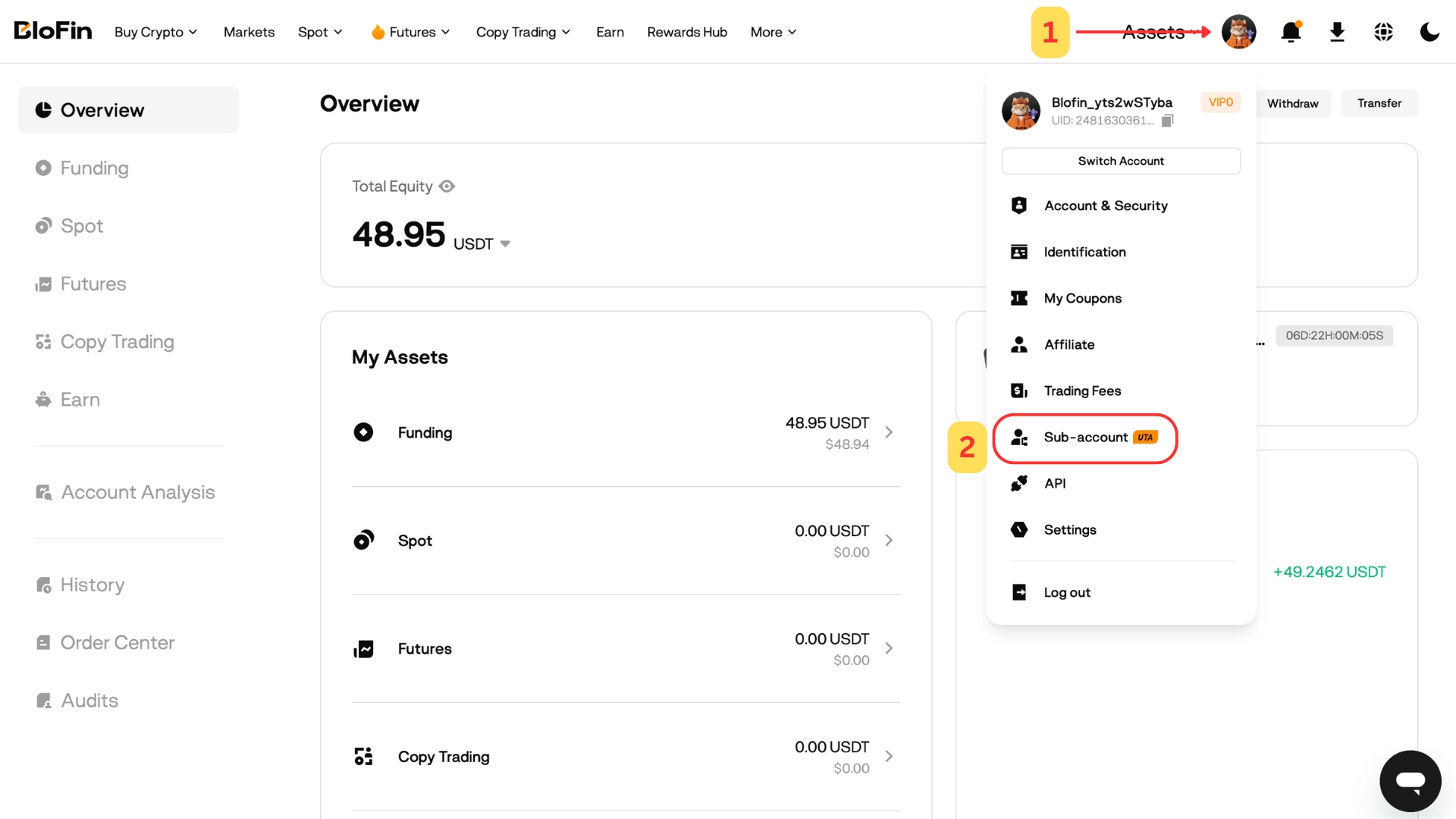
- In your Main account, click your User Avatar → Sub-accounts.
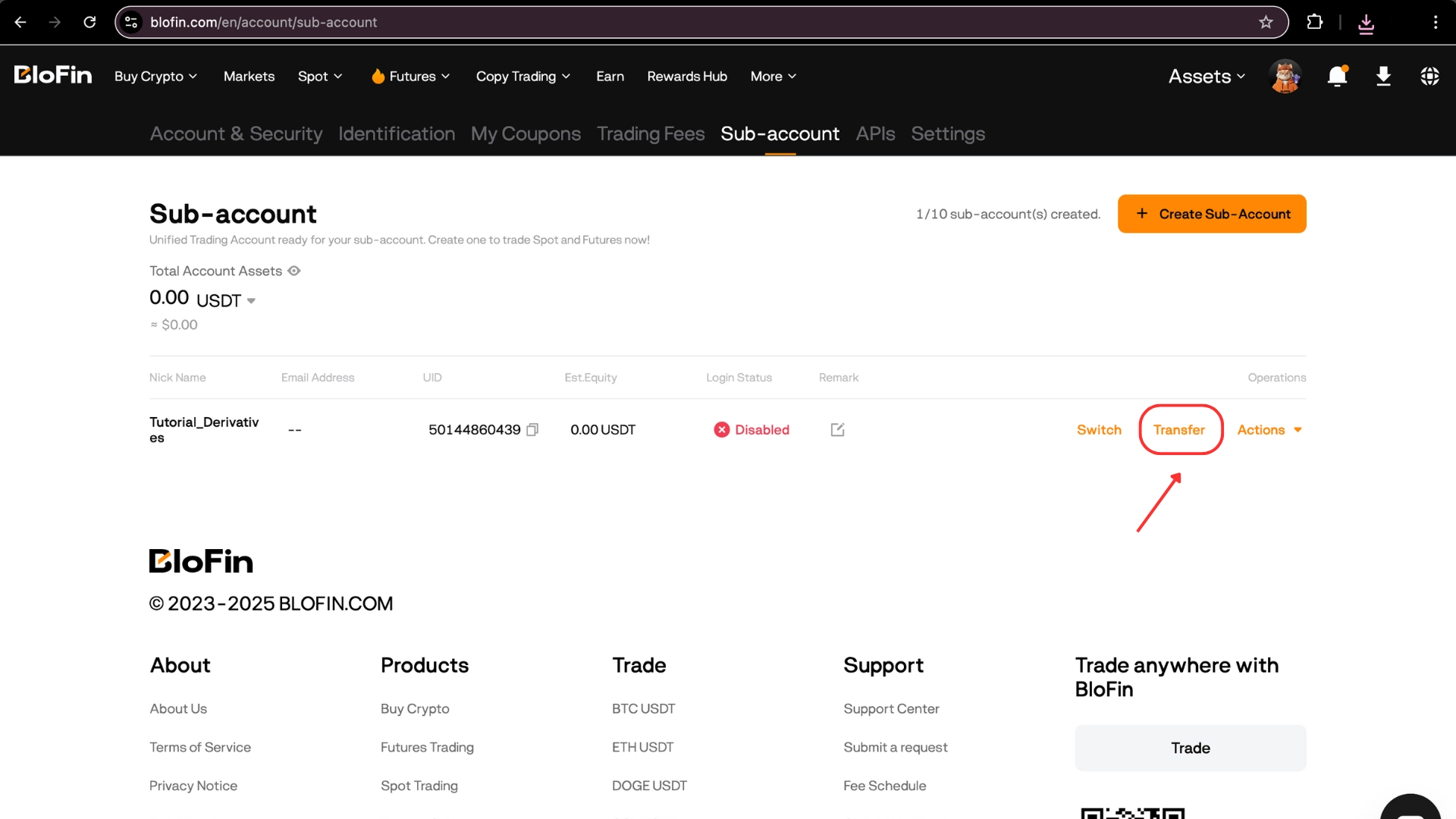
- Find your new sub-account and click Transfer.
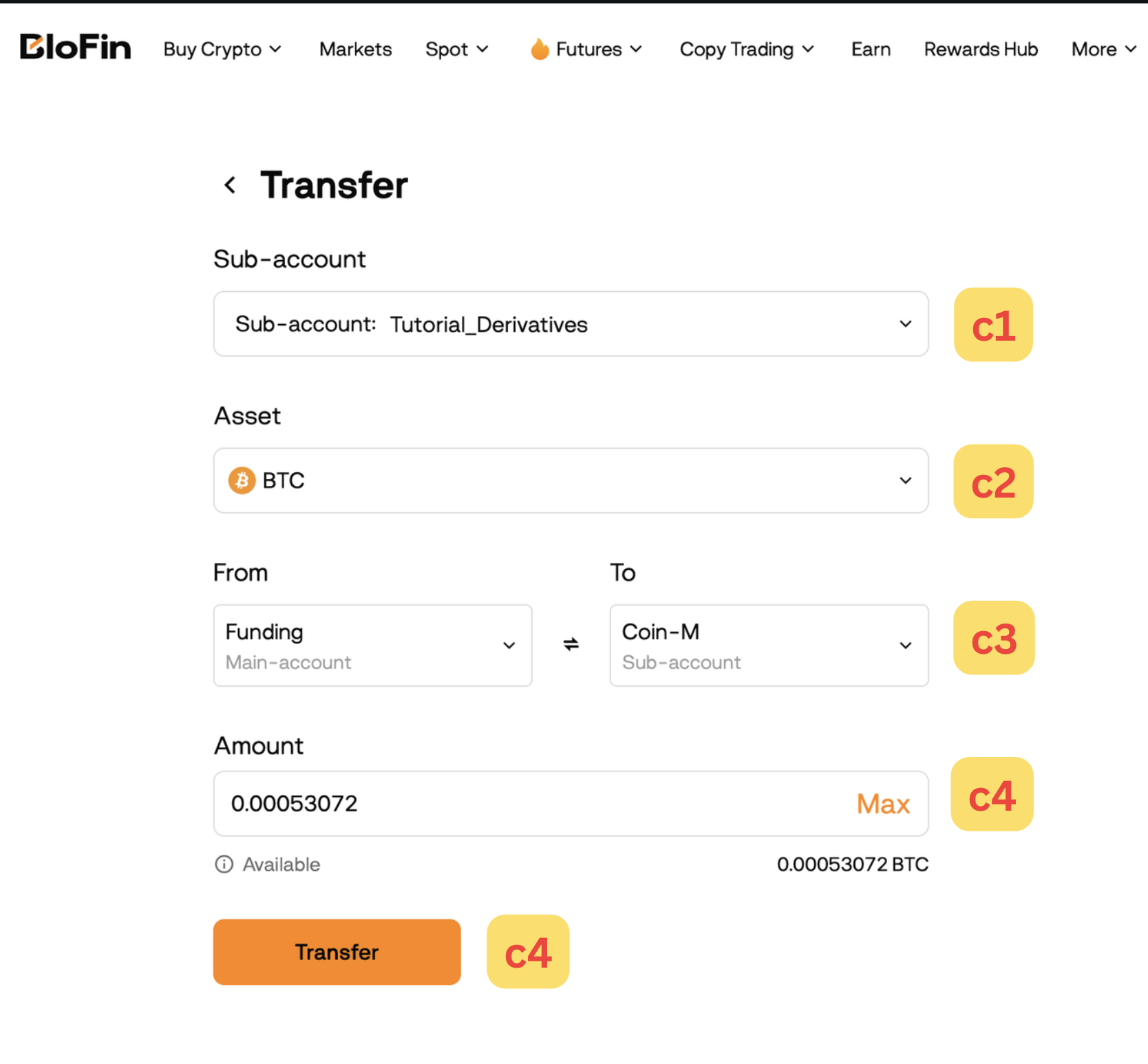
- In the transfer window: select your sub-account as the destination, pick your asset, and make sure the funds land in the sub-account's Futures wallet — that's the wallet Alpha 2x trades from. Enter the amount and click Transfer.
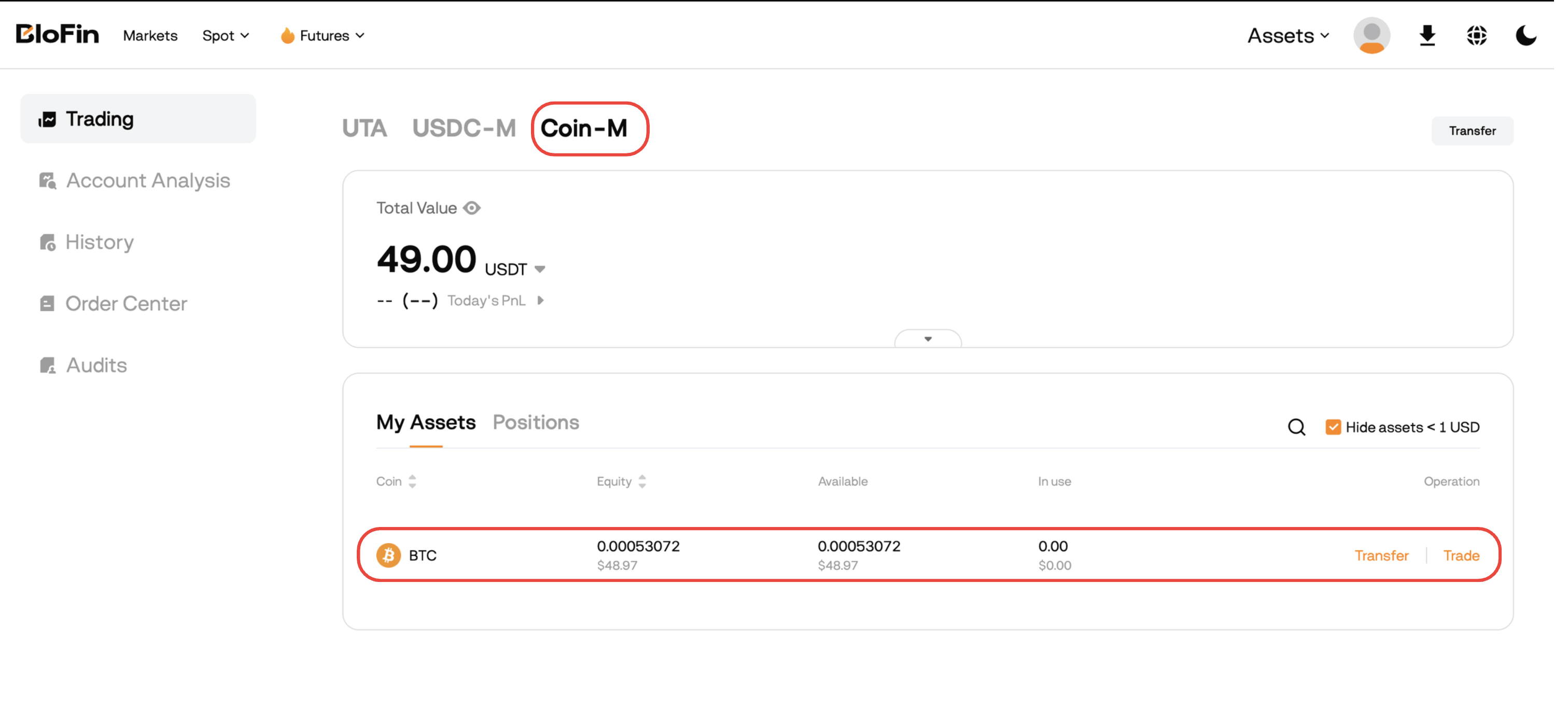
- Verify the funds arrived: switch to your sub-account, open blofin.com/en/assets/trading, and check the balance in Futures.
What's next
Your subaccount is ready. Next, create the API key that connects it to Alpha Pro: Create your API keys — Blofin.