

Alpha Pro connects to your exchange through an API key you create — a trade-only credential: it can place trades, and it can never withdraw or transfer your funds. This guide shows the whole process on Bybit. Create the key inside your dedicated subaccount (if you don't have one yet, follow Create your trading subaccount first).
WARNING: Never enable Withdrawal permissions on your API key. Alpha Pro only ever needs to read and trade — nothing else.
Step 1 — Open API management
- Make sure you are inside your dedicated sub-account (switch from the account menu).
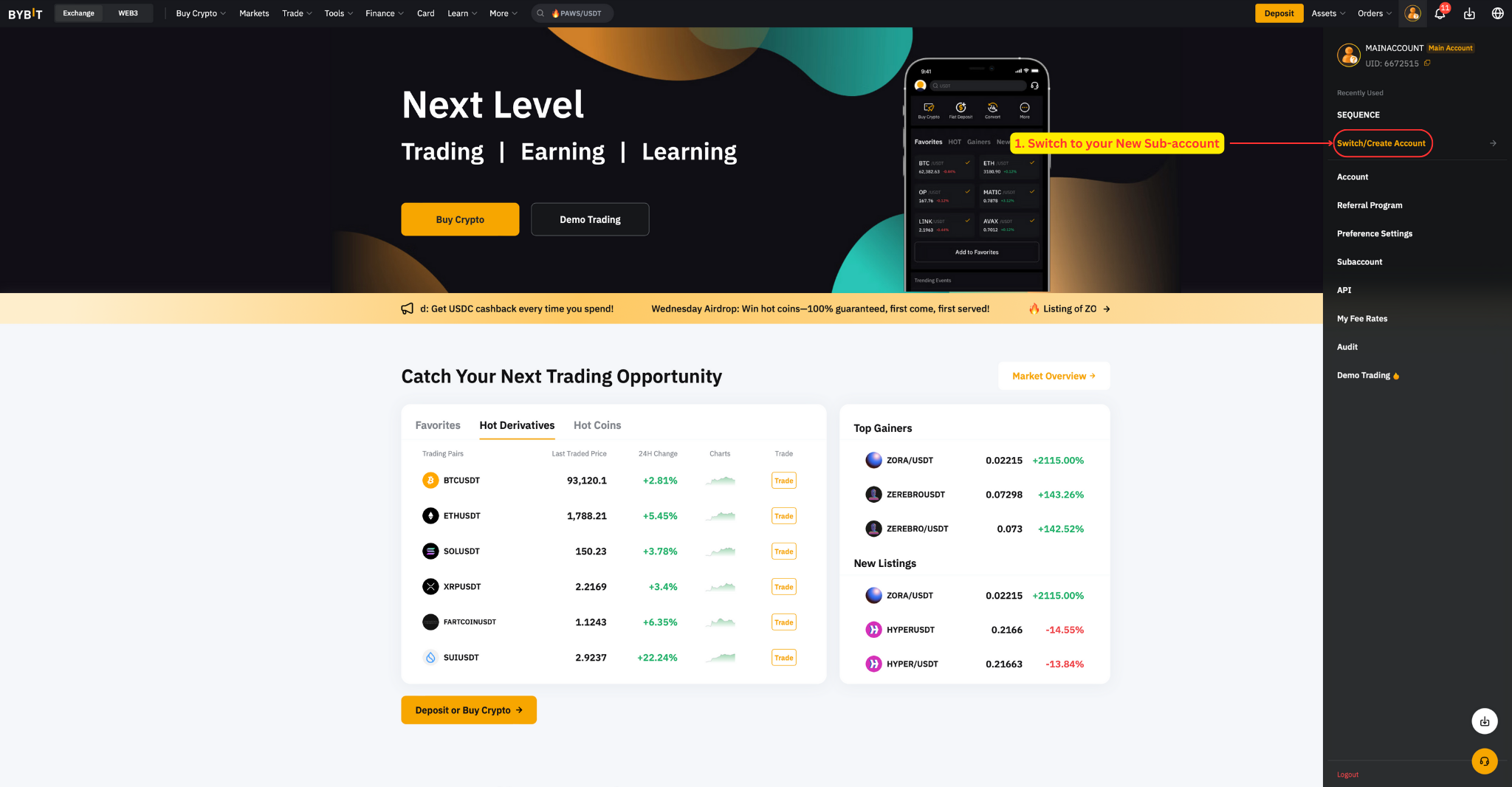
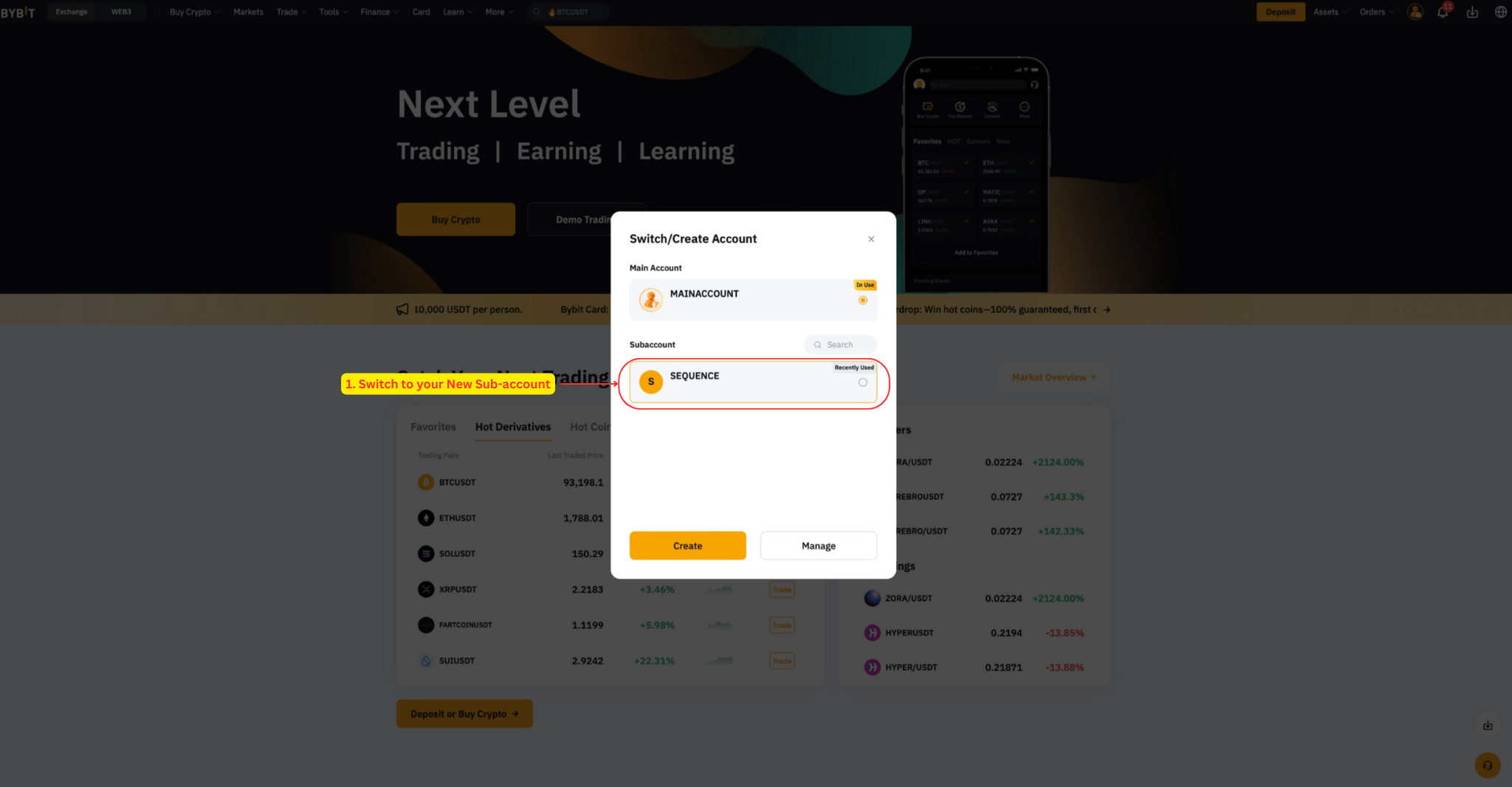
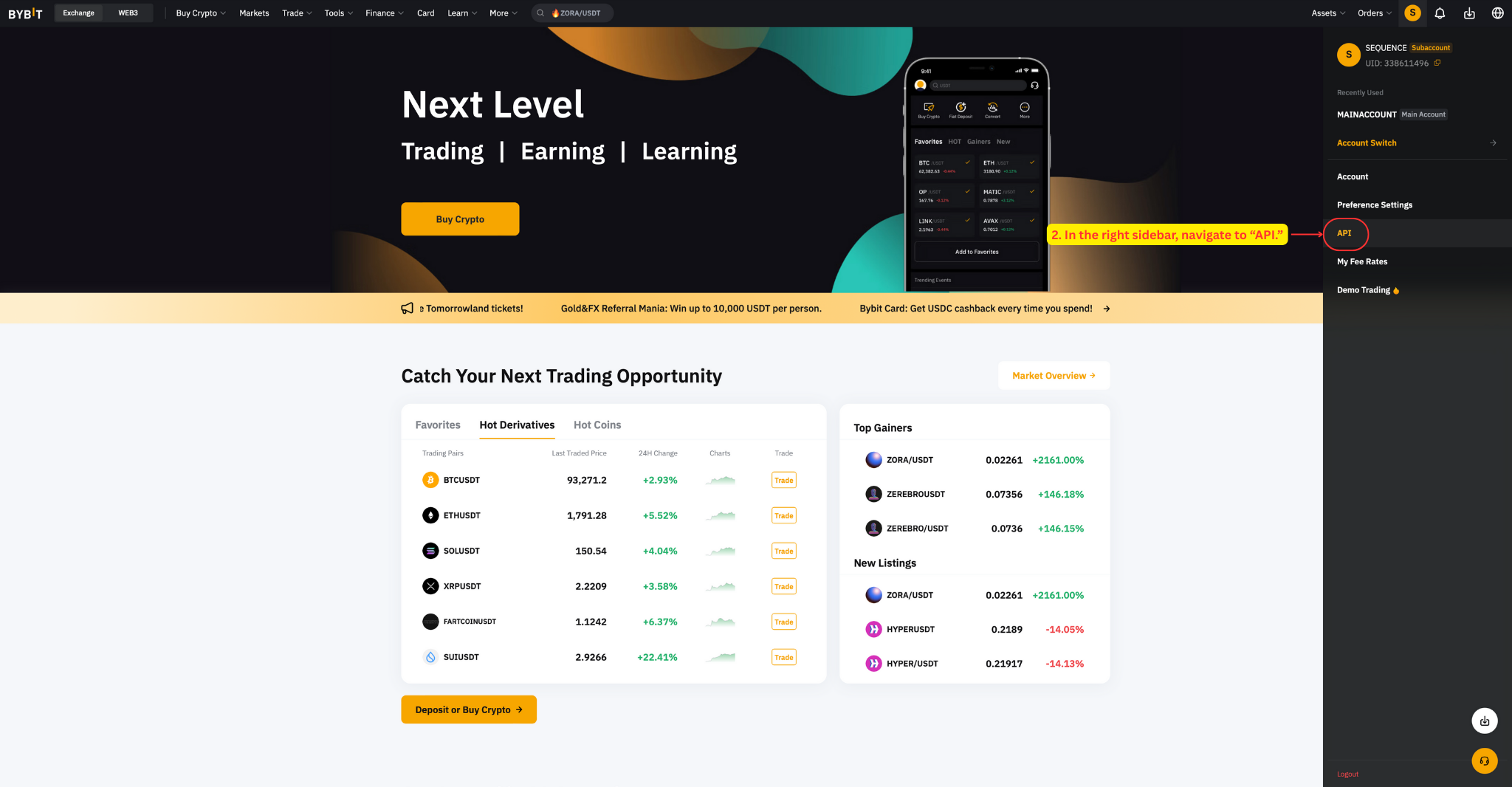
- In the right sidebar, go to API.
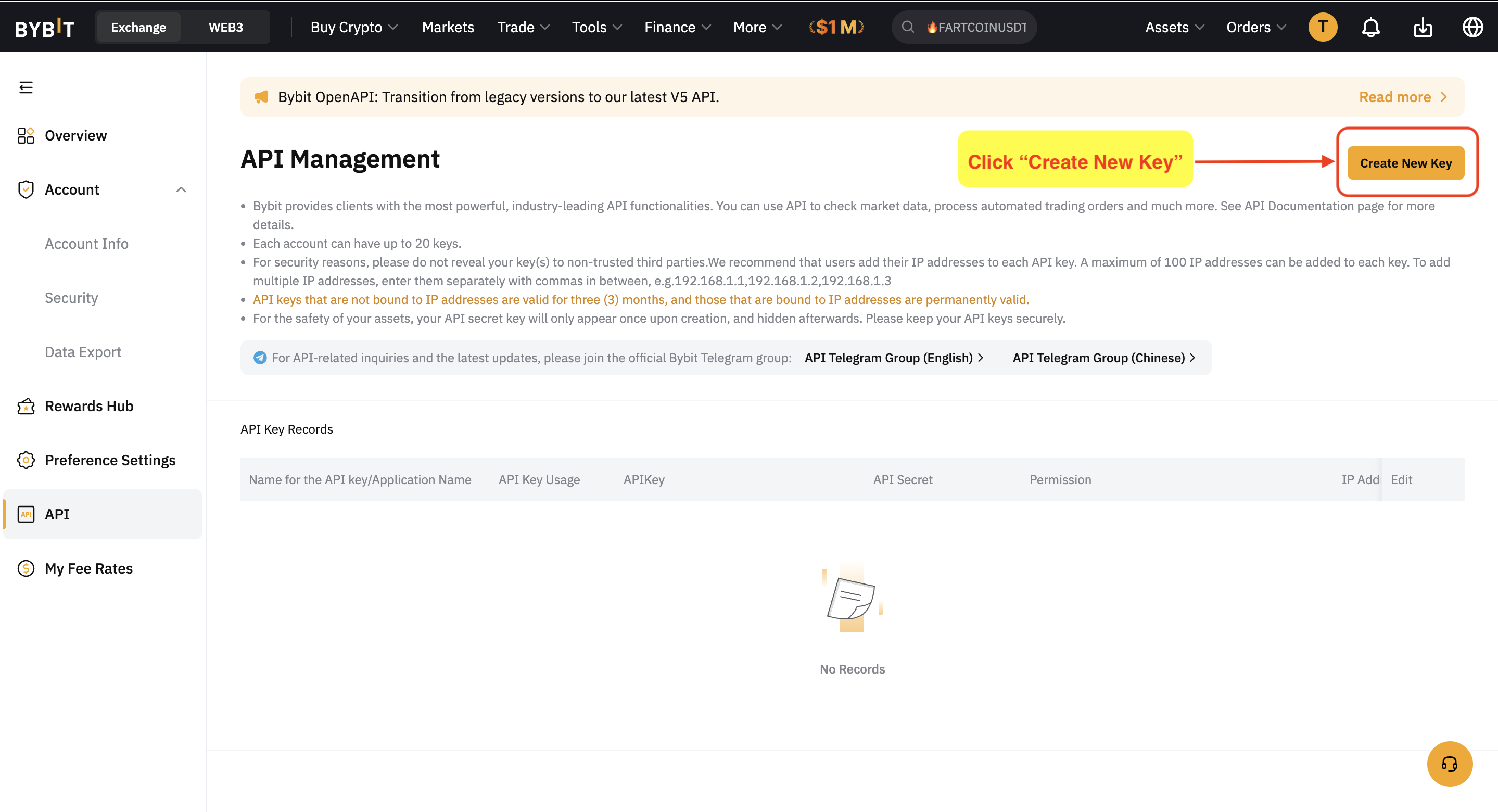
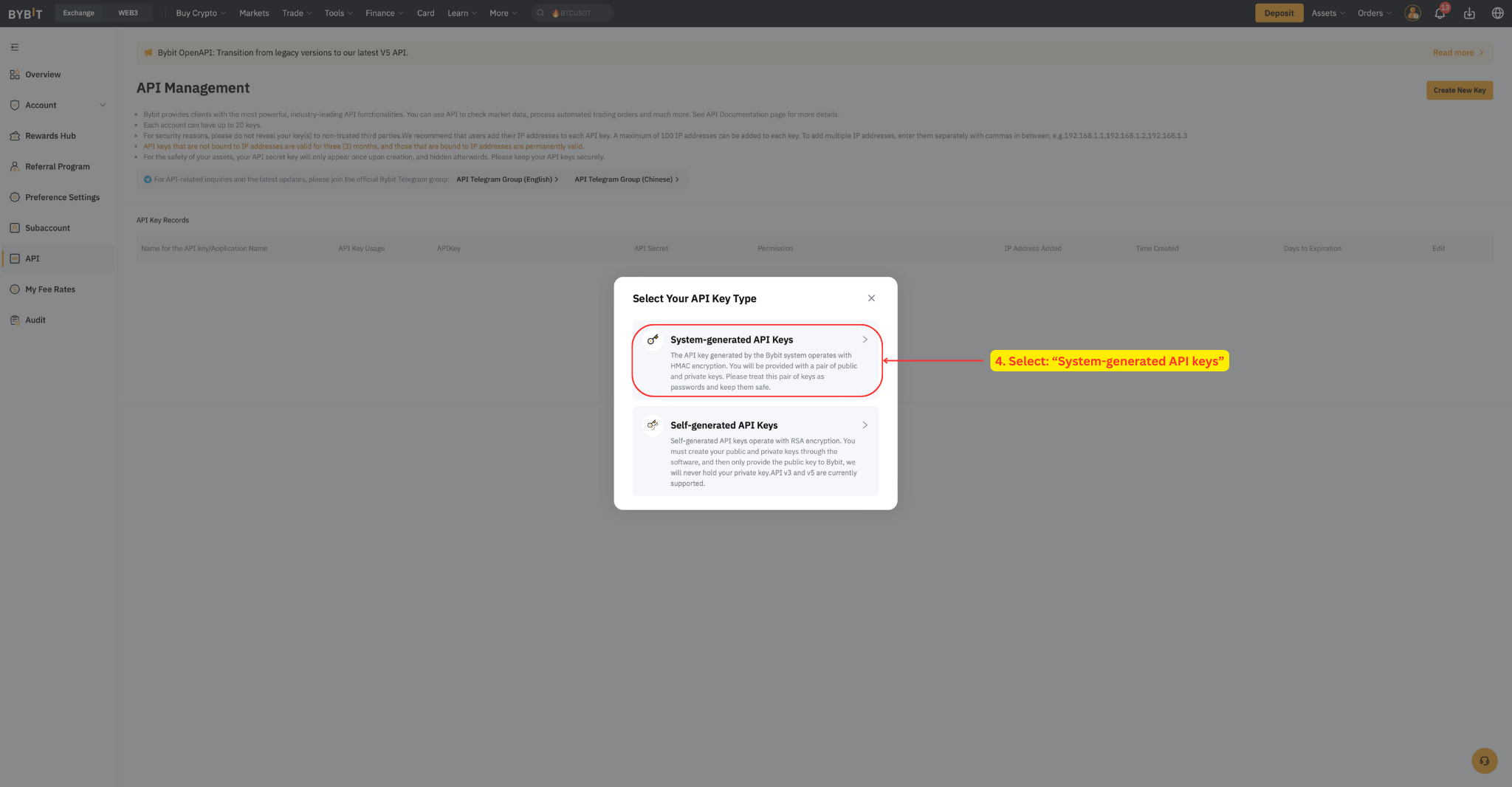
- Click Create New Key.
- Select System-generated API keys.
Step 2 — Set usage and permissions
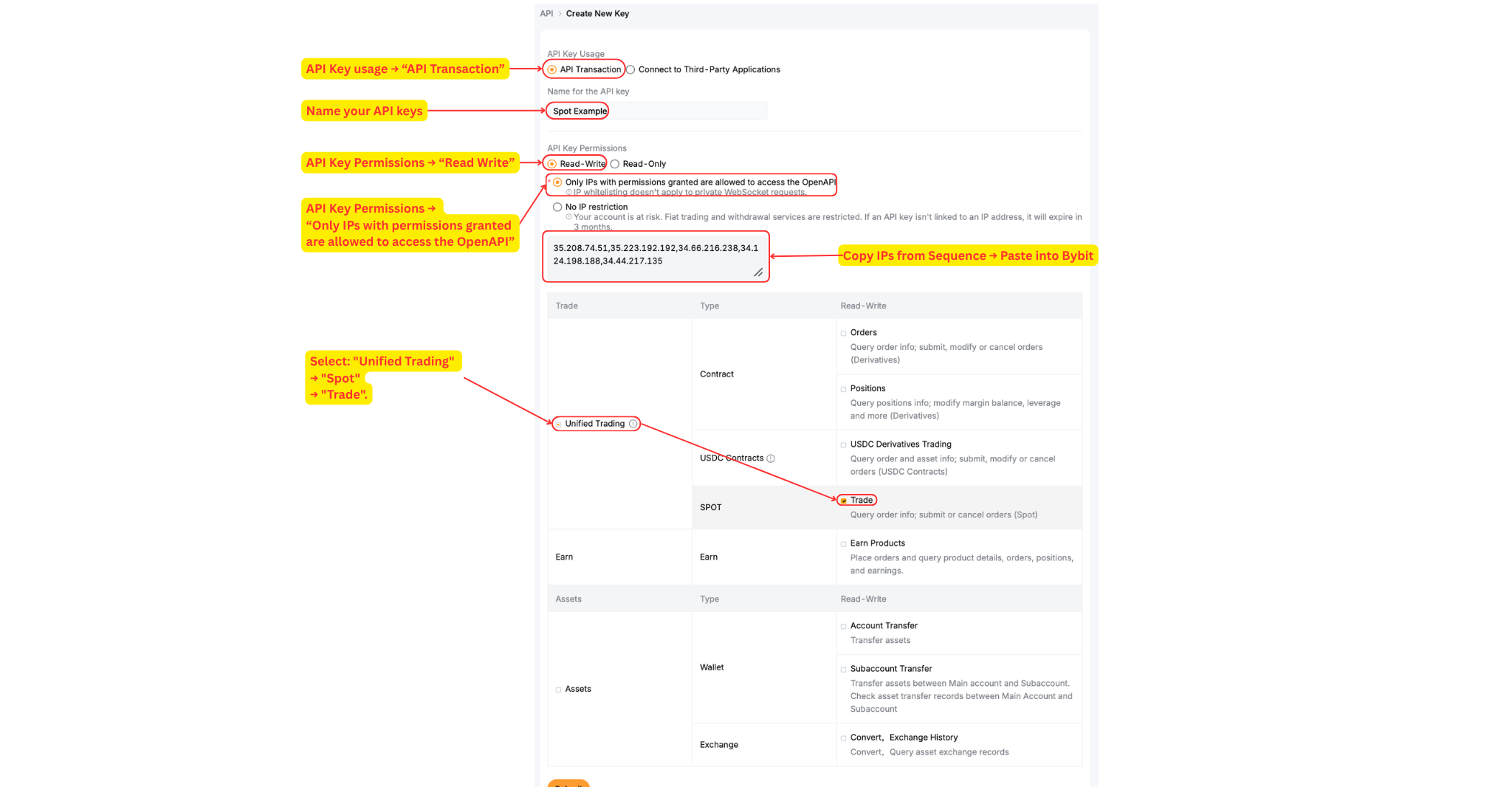
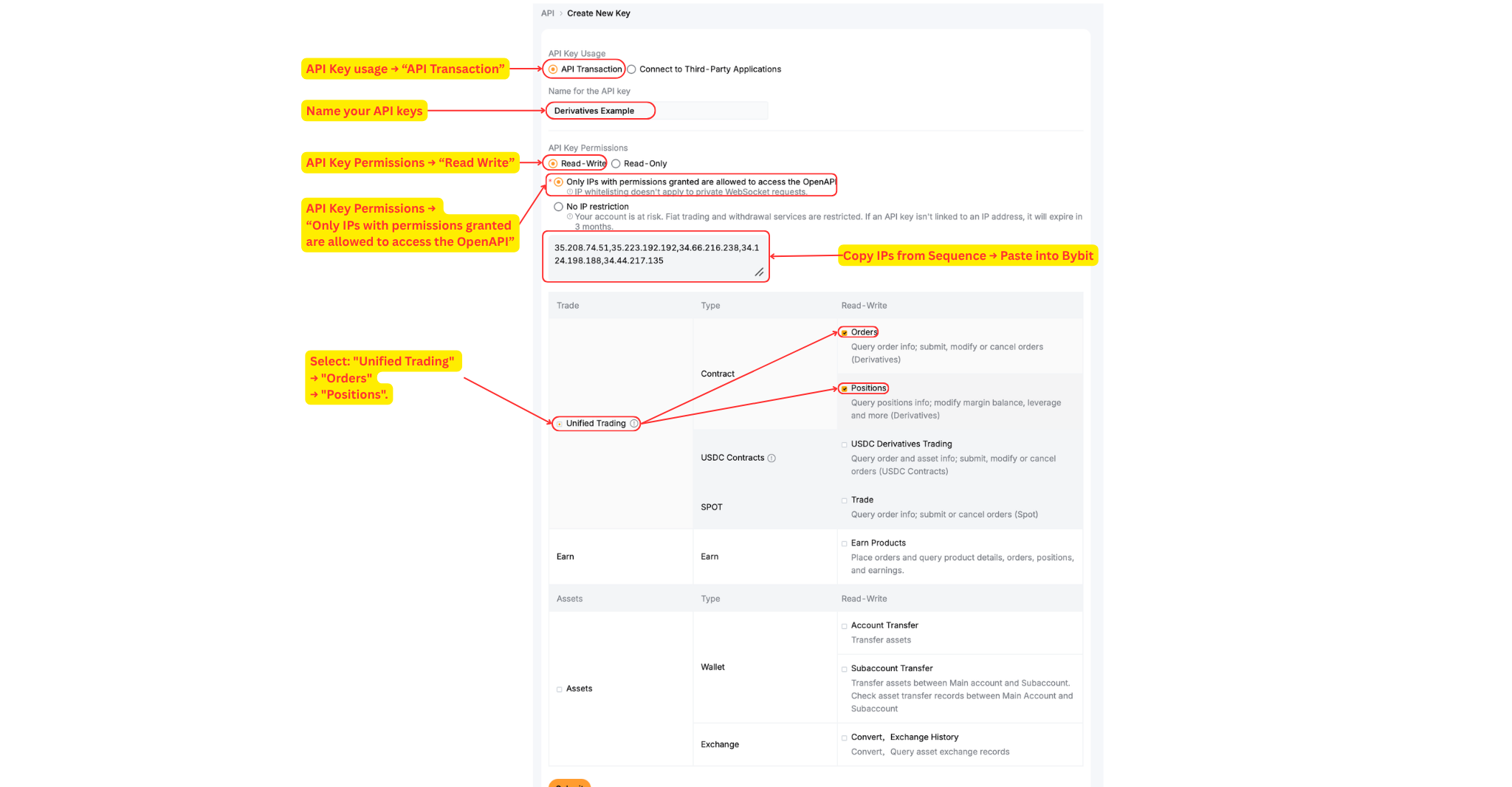
- API key usage → "API Transaction", and name your API key.
- API key permissions → "Read-Write" and check "Only IPs with permissions granted are allowed to access the OpenAPI" (read-only keys will not work).
- Click "Unified Trading" and select the permissions for your version:
| Alpha 1x (spot) | Alpha 2x |
|---|---|
| Select: "Unified Trading" → "Spot" → "Trade" | Select all permissions: "Unified Trading" → "Orders" and "Positions" |
 |
 |
Step 3 — Add the IP whitelist
In the IP restriction section, add these addresses — comma-separated, without spaces:
35.208.74.51,35.223.192.192,34.66.216.238,34.124.198.188,34.44.217.135
Note: these IPs authorize Alpha Pro to trade on your behalf while blocking anyone else — and an IP-bound key never expires (keys without IPs expire after 90 days).
Step 4 — Confirm and save your key
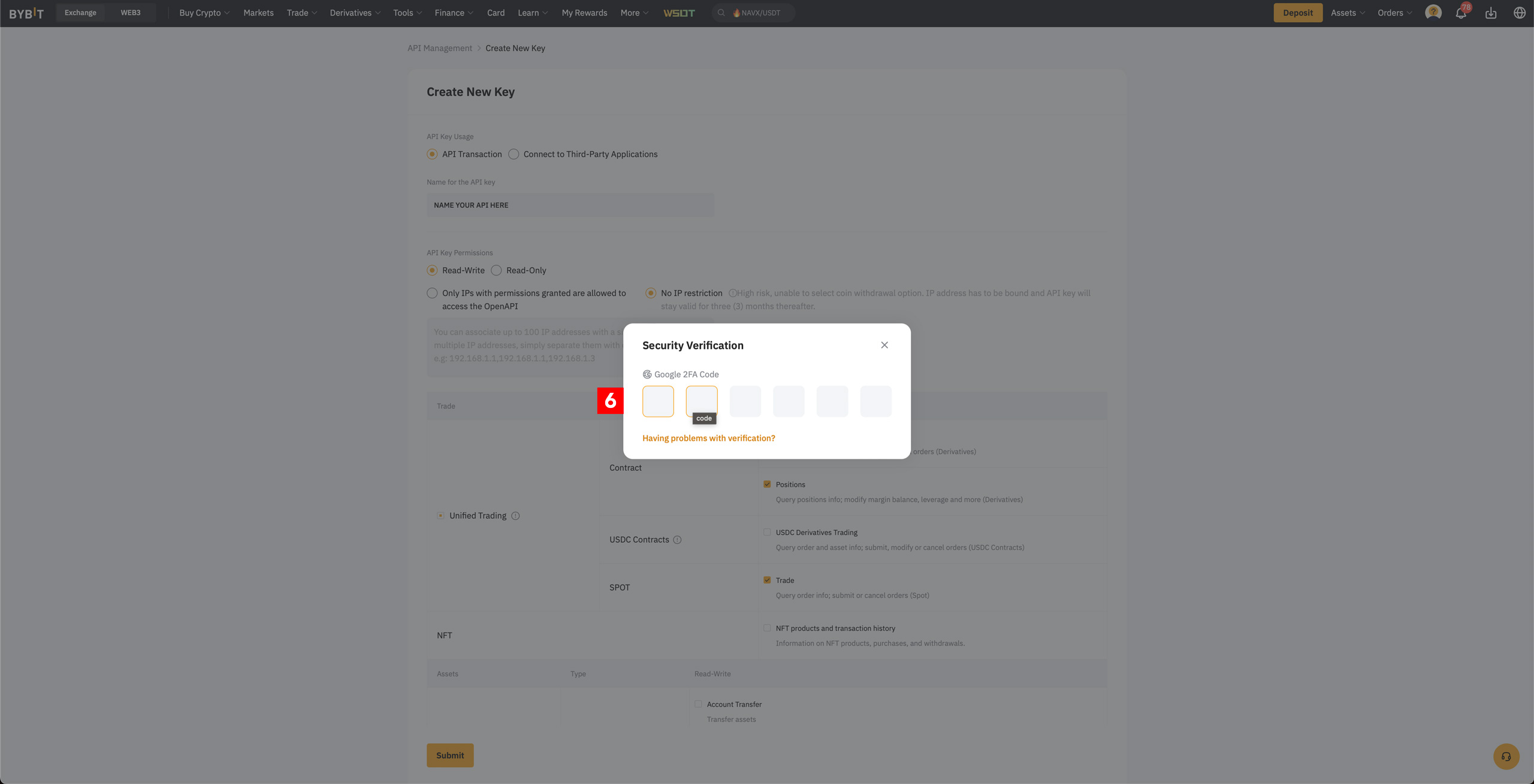
- Click Submit and complete the 2FA step. If you created the key inside the sub-account, use the sub-account's 2FA — not your main account's.
- Copy your API Key and API Secret to a secure place before closing the pop-up.
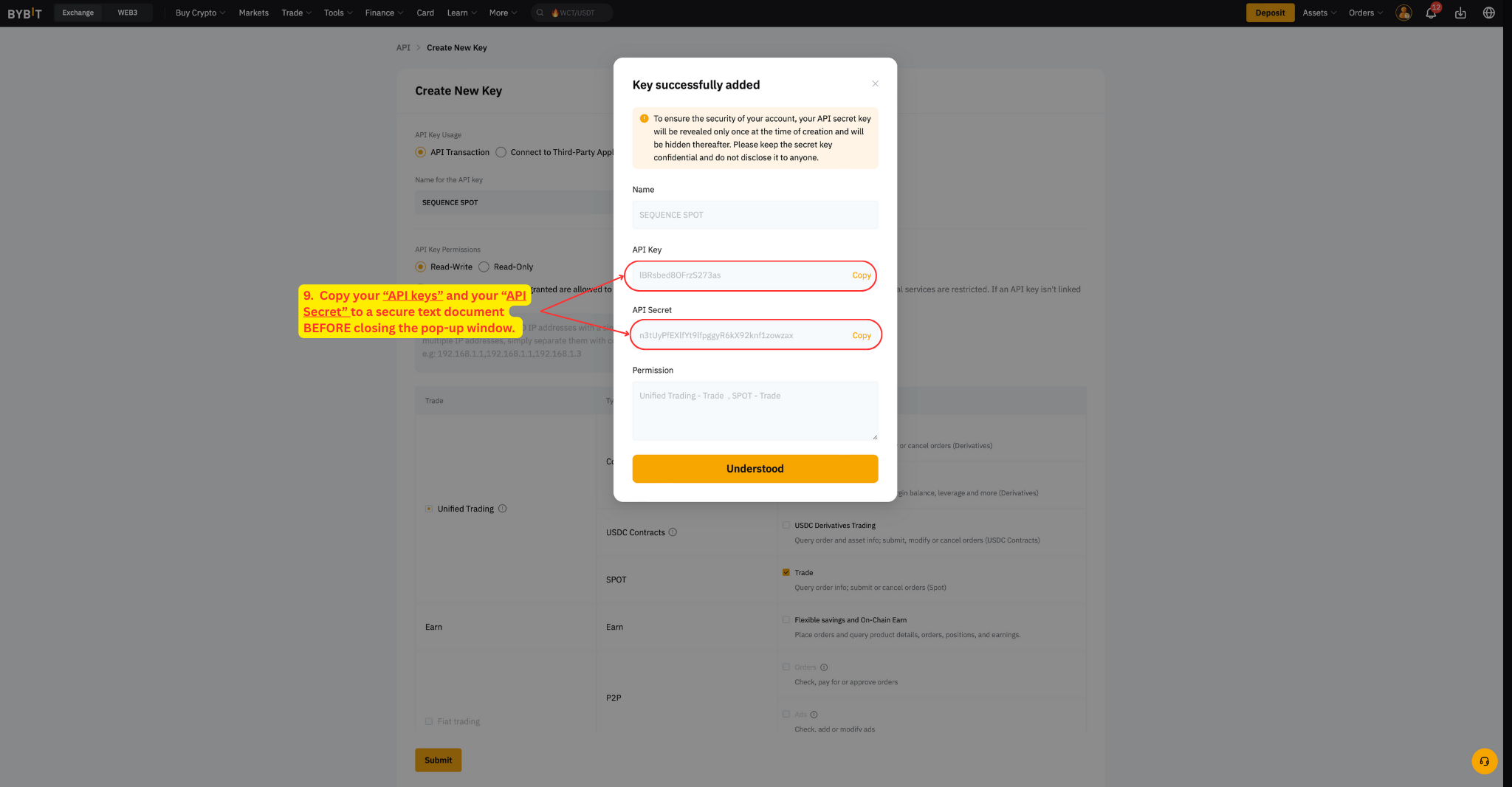
Important: save your API Secret now — it will not be shown again, and neither Bybit nor Sequence can recover it later.
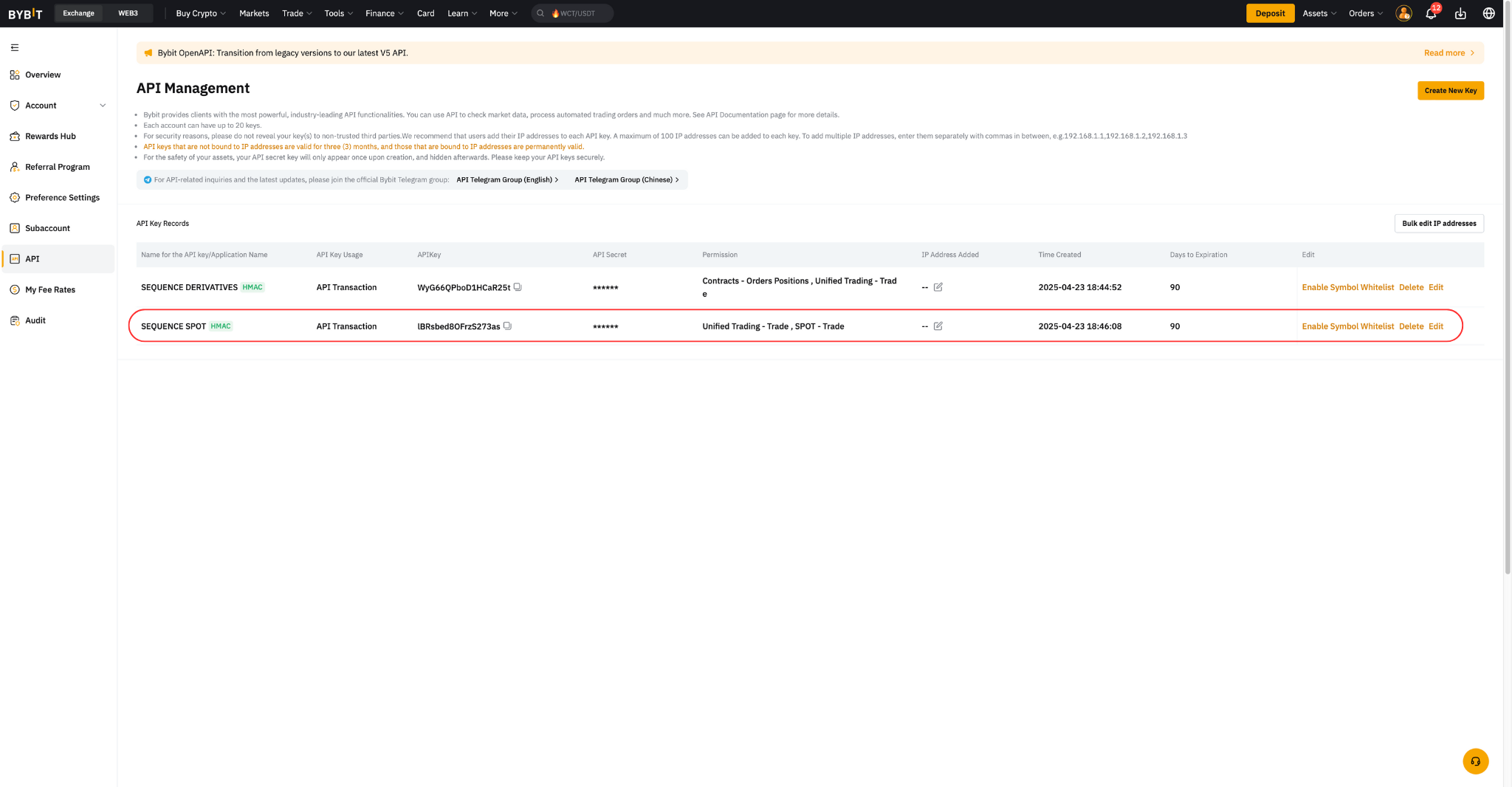
- After clicking Understood, you should see your new key listed:
Step 5 — Whitelist the trading pairs (recommended)
Restricting the key to the pairs Alpha Pro actually trades is an extra layer of security.
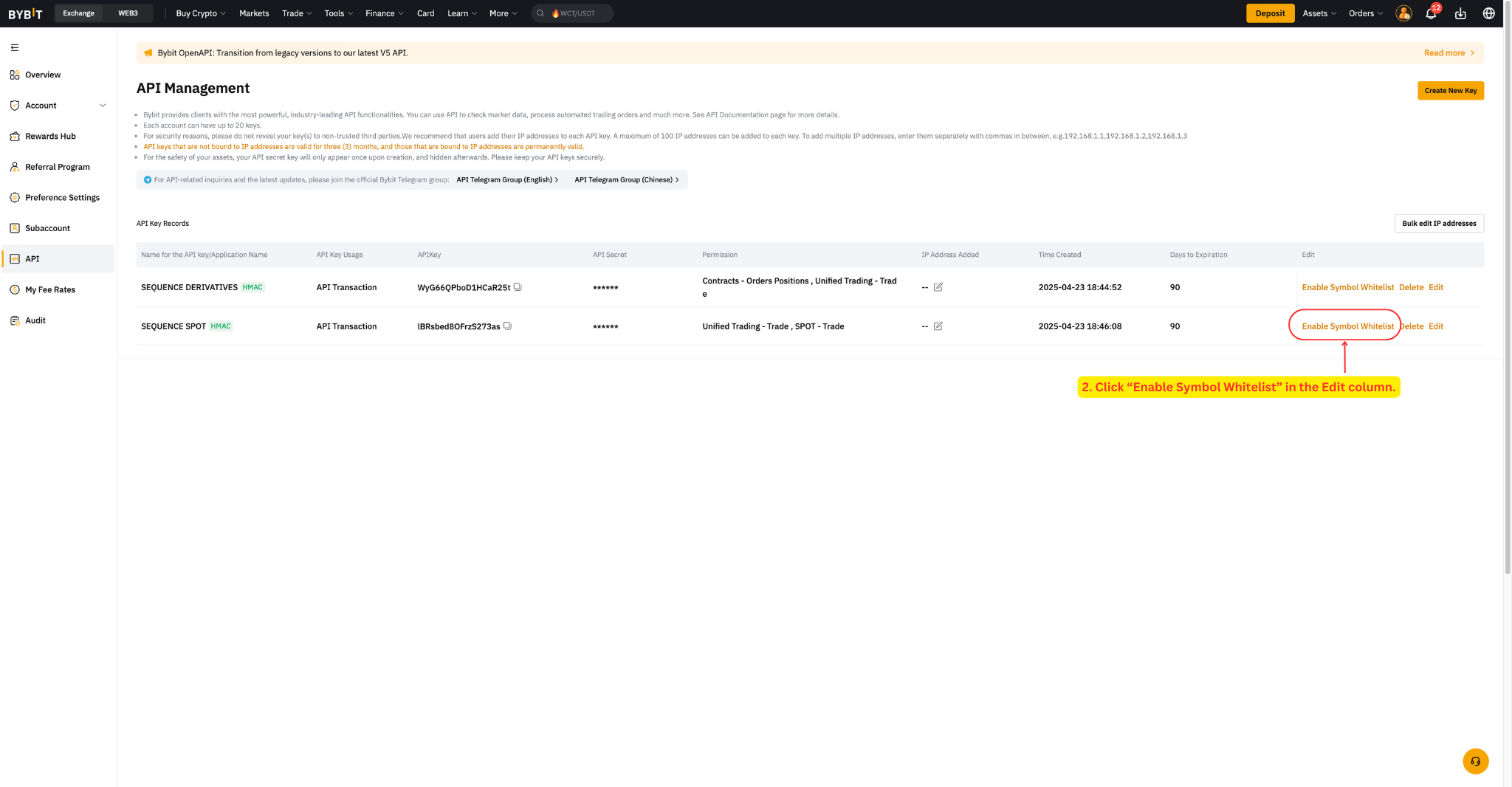
- In the sub-account's API page, find your new key and click Enable Symbol Whitelist in the Edit column.
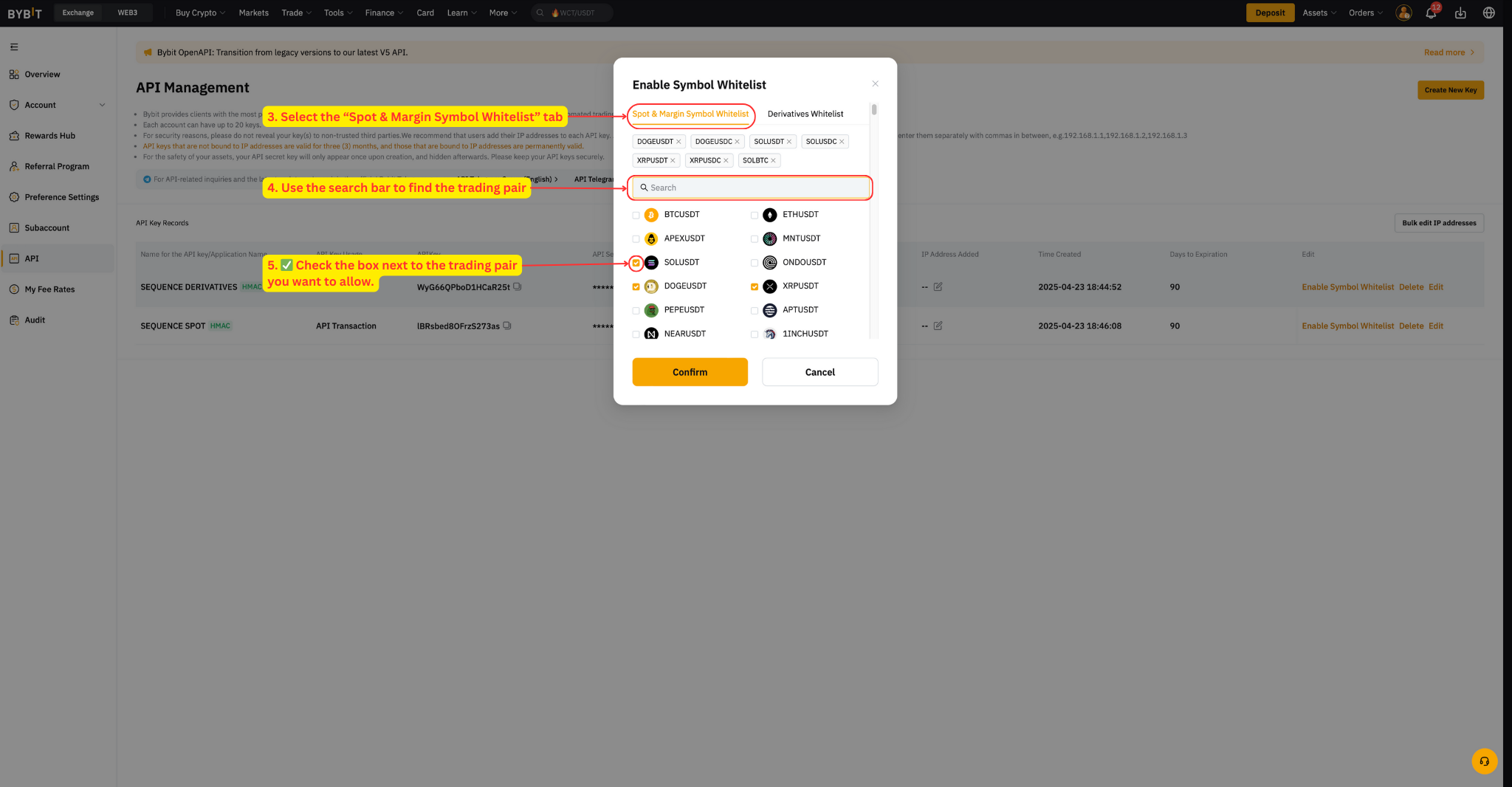
- Alpha 1x: open the Spot & Margin Symbol Whitelist tab. Alpha 2x: open the Derivatives tab.
- Search and check the pair for each of the seven coins — DOGE, XRP, ADA, SOL, LINK, ETH, AVAX — against your funding currency (USDT or USDC).
- Click Confirm.
What's next
With your key created, return to the setup guide and enter it in the Sequence wizard: How to get started and set up Alpha Pro.